Atlas daemon
The platform itself: one Linux binary, CLI-first, driving the encrypted multi-link tunnel — from datacenter servers to a board weighing around 15 g.
The platformThe same Rust core runs on servers, field boards and phones; everything around it exists to deploy, observe and exercise it. This page is the map — the products, and the six public destinations they live behind.
Real screenshots throughout — from the shipped interfaces, not mockups.
The platform itself: one Linux binary, CLI-first, driving the encrypted multi-link tunnel — from datacenter servers to a board weighing around 15 g.
The platformServed by every node: links, live topology, scheduler decisions and traffic policy in a browser — no SSH, no CLI knowledge needed.
Linux tour — nexusatlas.appThe same engine on a phone: Wi-Fi + cellular bonded, gateway picker by measured latency, QR pairing, per-app routing, field toolkit. Evaluation builds.
Android tour — nexusatlas.appManaged reachability across carrier-grade NAT: relay-first connection, automatic direct upgrade, cryptographically signed relay directory, hosted relays in North America, Europe and Asia — plus private and hybrid relay estates.
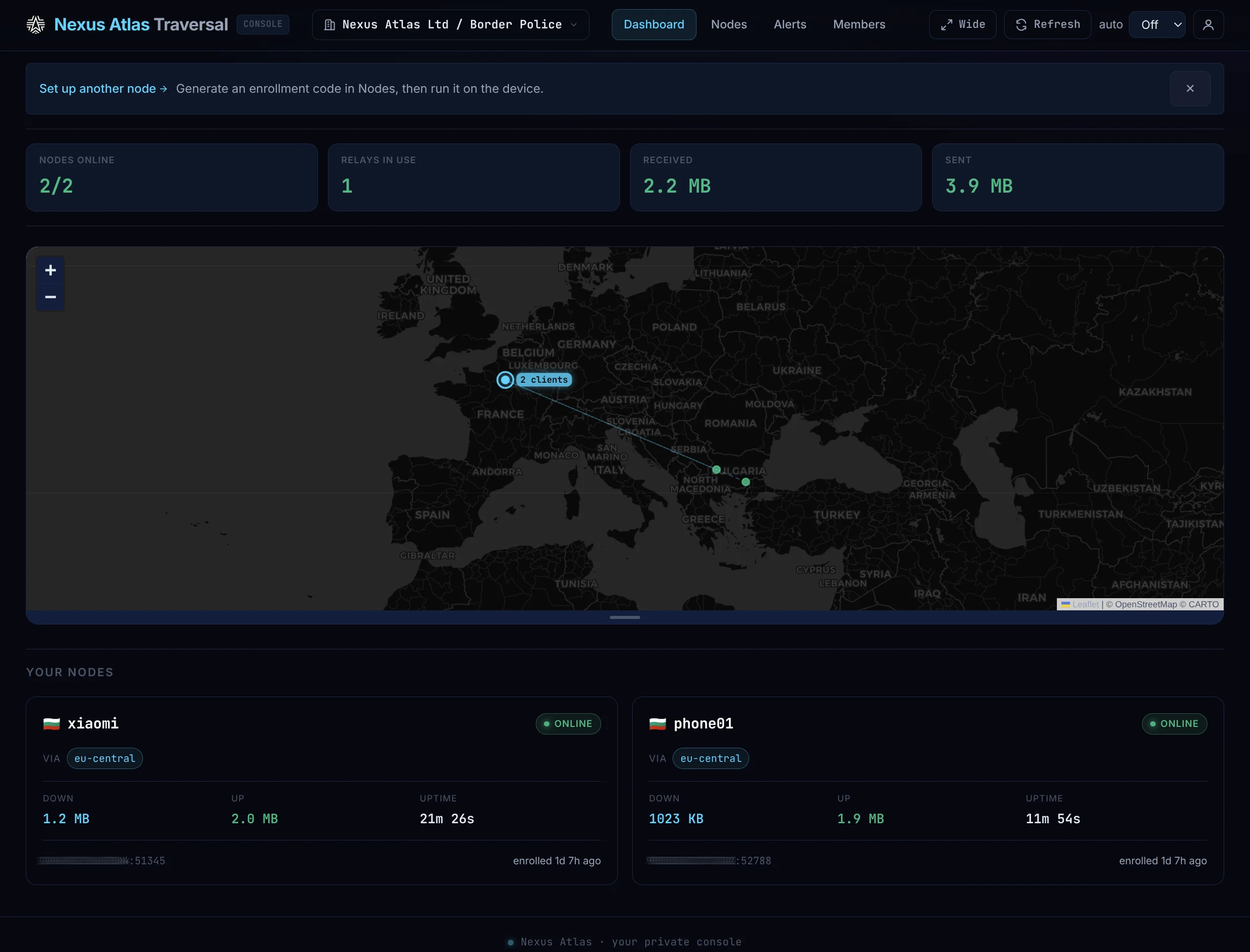
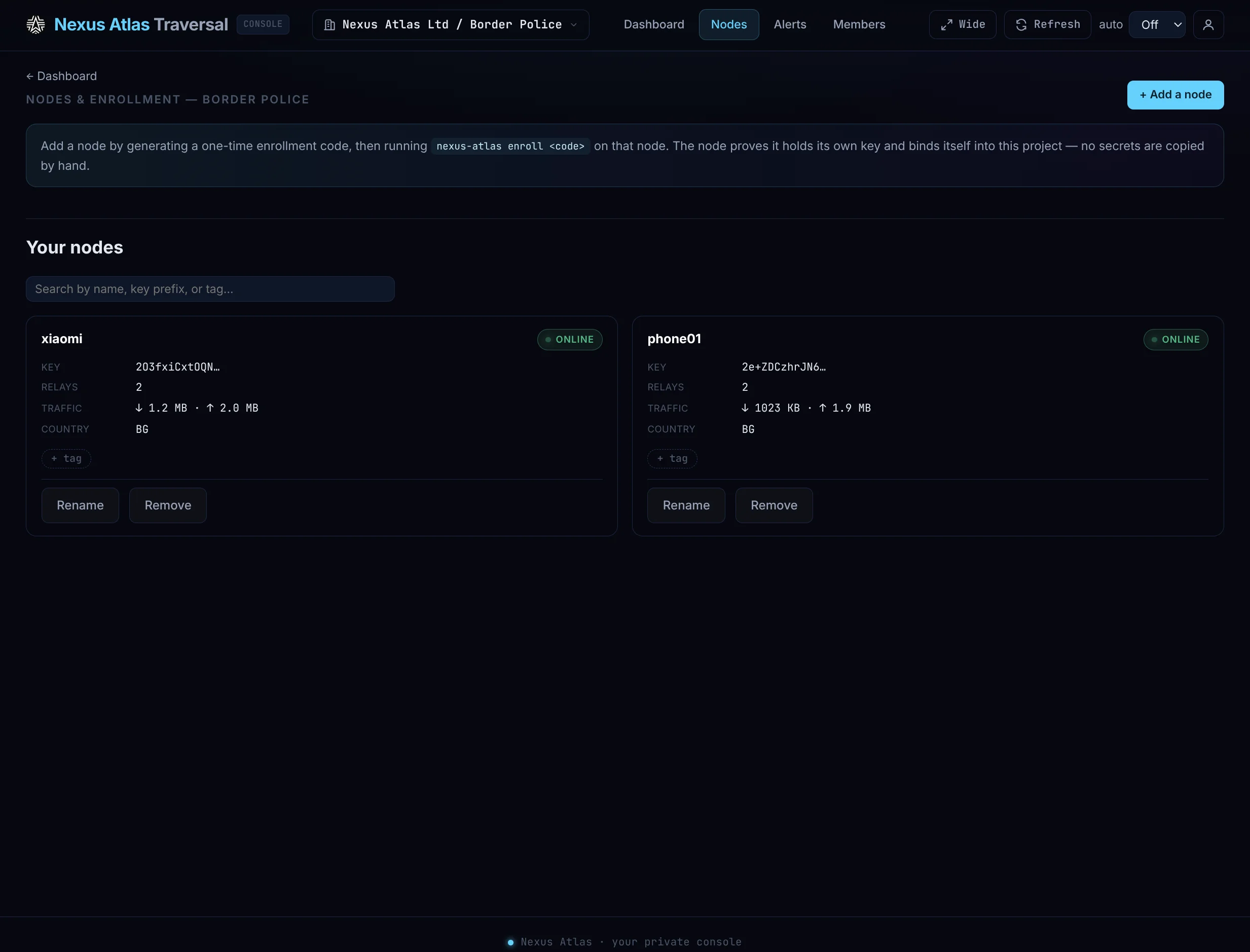
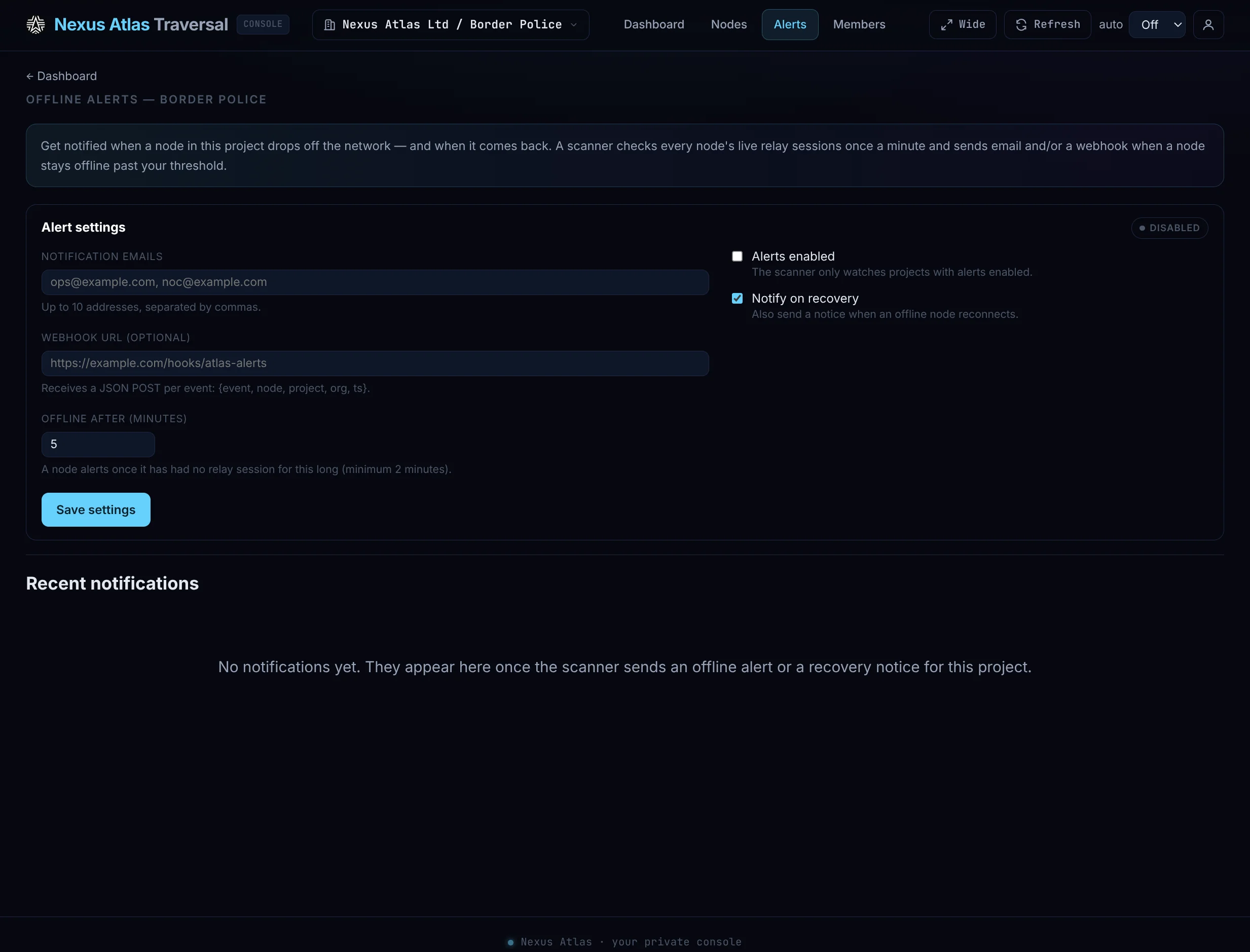
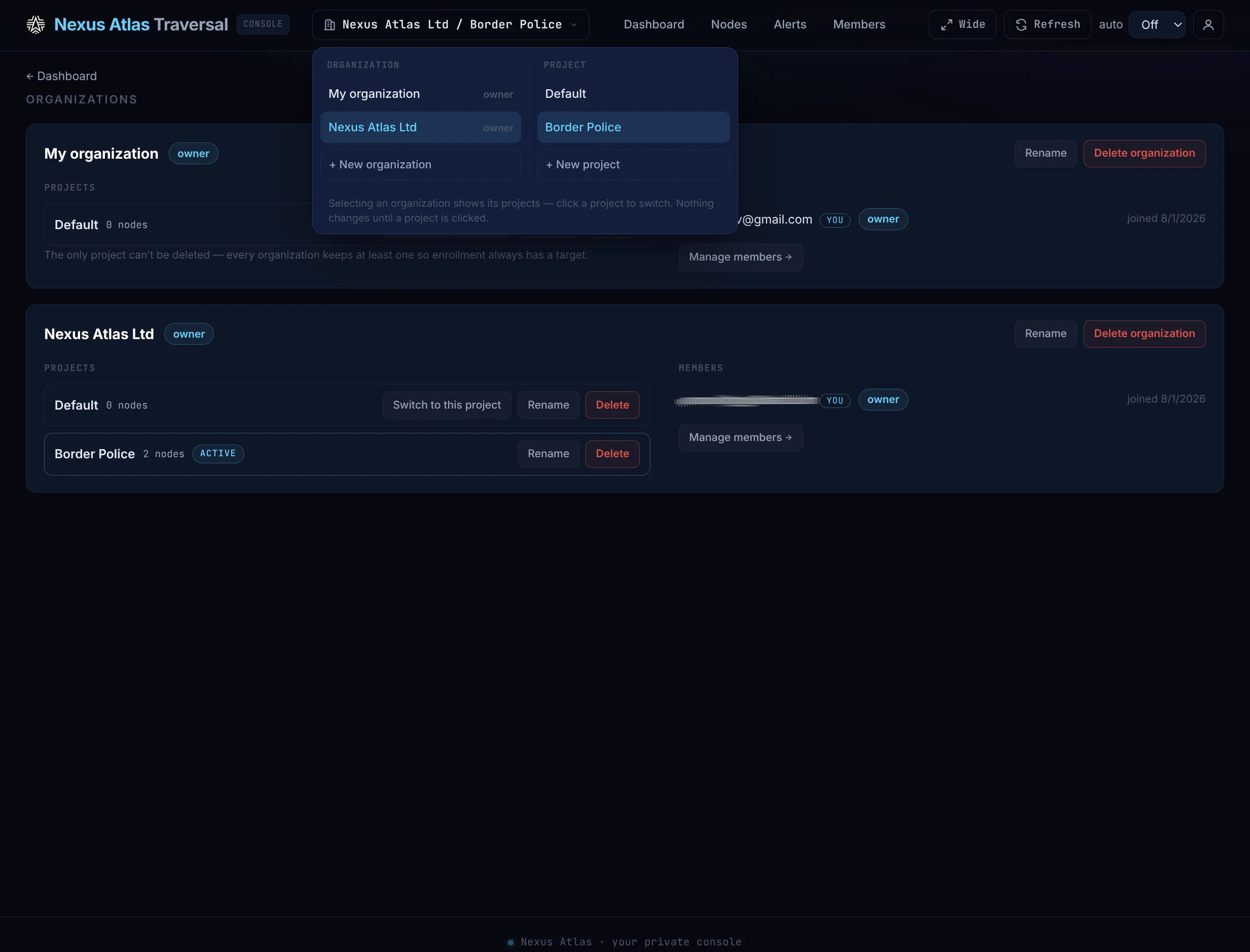
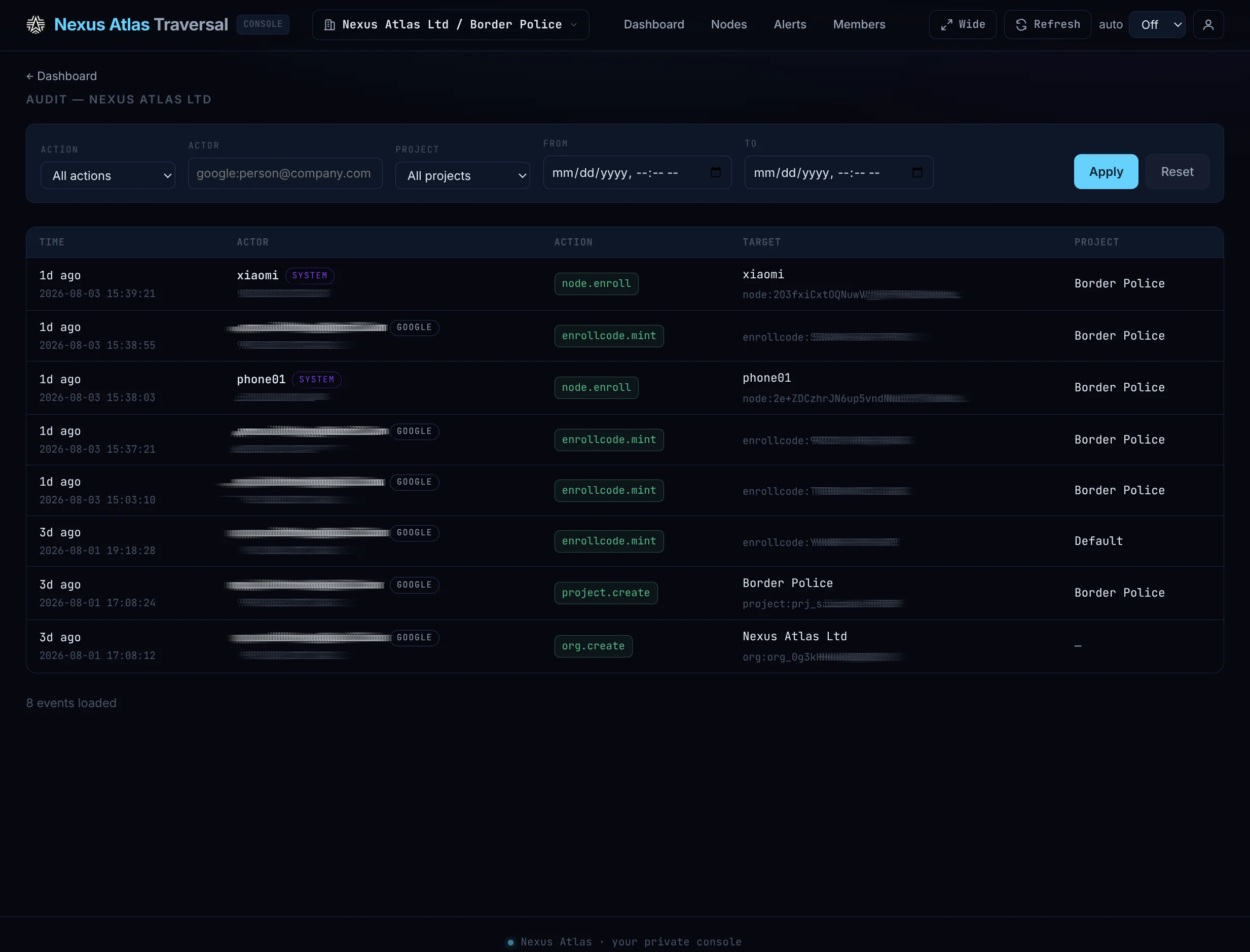
nexusatlas.netThe operations pane: cryptographic node enrolment, live map, per-link telemetry, offline alerts, organisations and roles, audit trail, hardware-key second factor.
console.nexusatlas.netThe mission simulator: the real mesh rendered over real elevation data, every link colored by terrain line-of-sight using the same mathematics as the product’s terrain engine — including a live digital-twin mode that mirrors a fielded mesh once a second.
The terrain research directionThe underlay viewer: live 802.11s radio topology from any node’s browser — signal strength, airtime metrics, dying links fading out early, one-click discovery of hidden multi-hop nodes, and a 3D view for wall displays.
Companion processes for radios that can talk back: serial telemetry radios, Wi-Fi, Ethernet and Bluetooth today. They split a radio’s byte stream into a data channel and a telemetry channel — and any hardware family can have one.
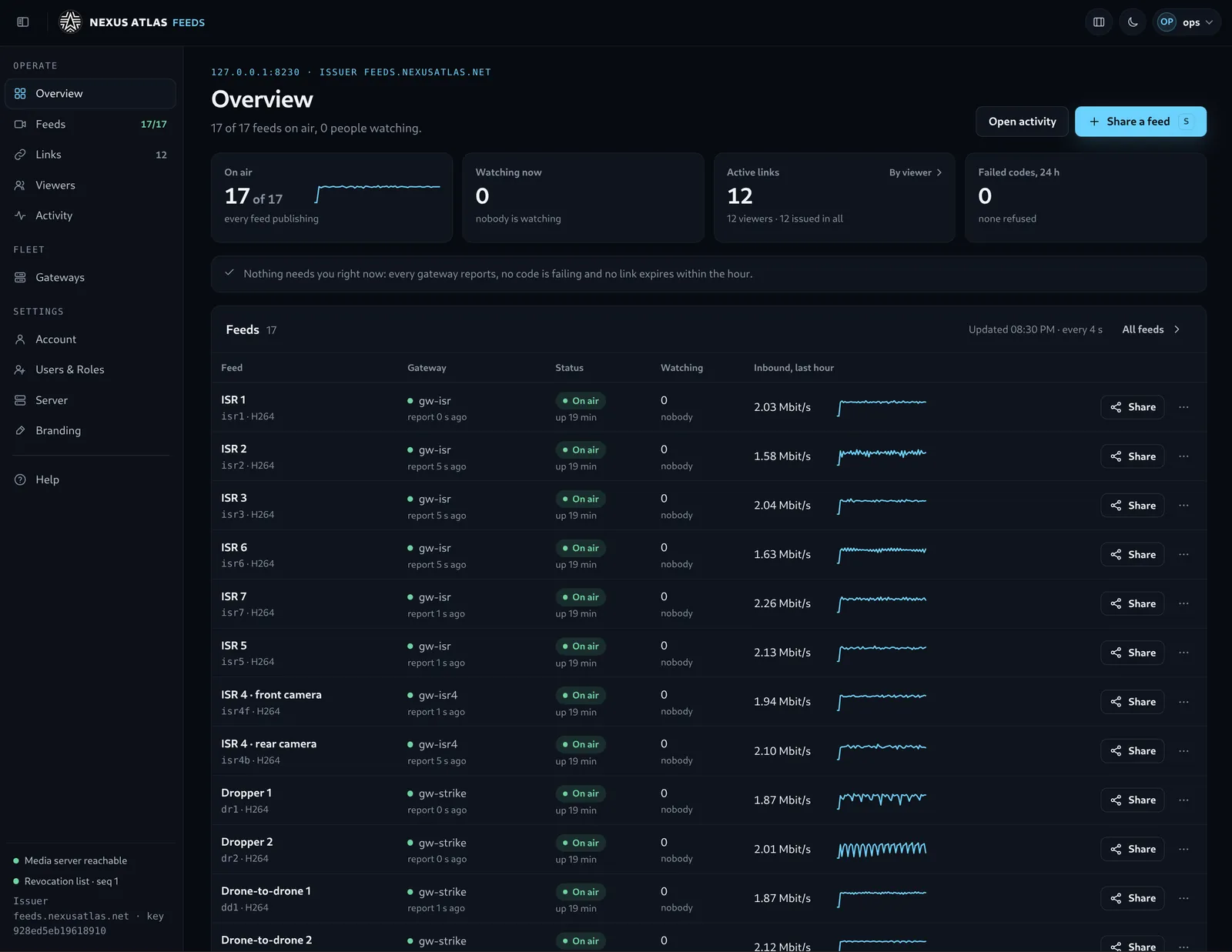
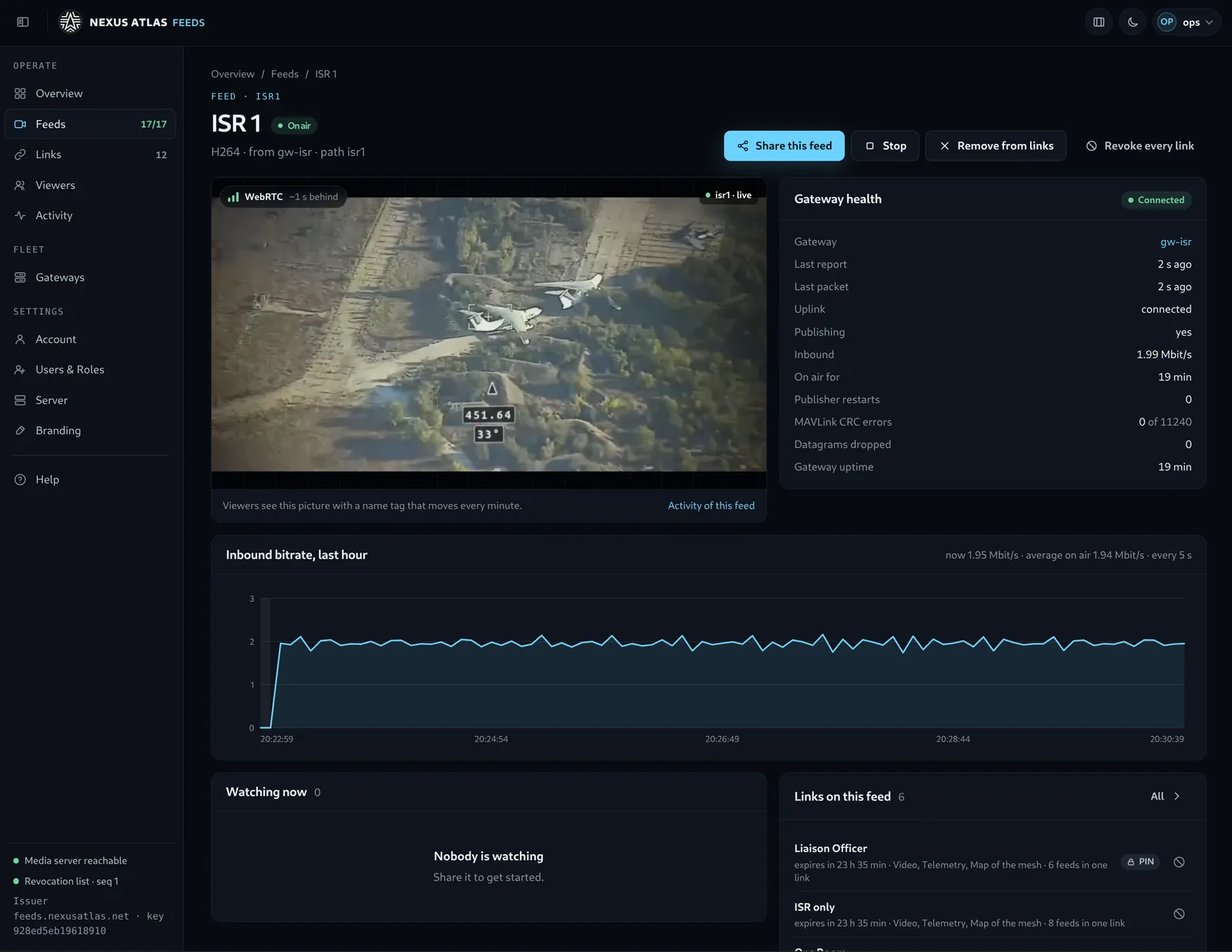
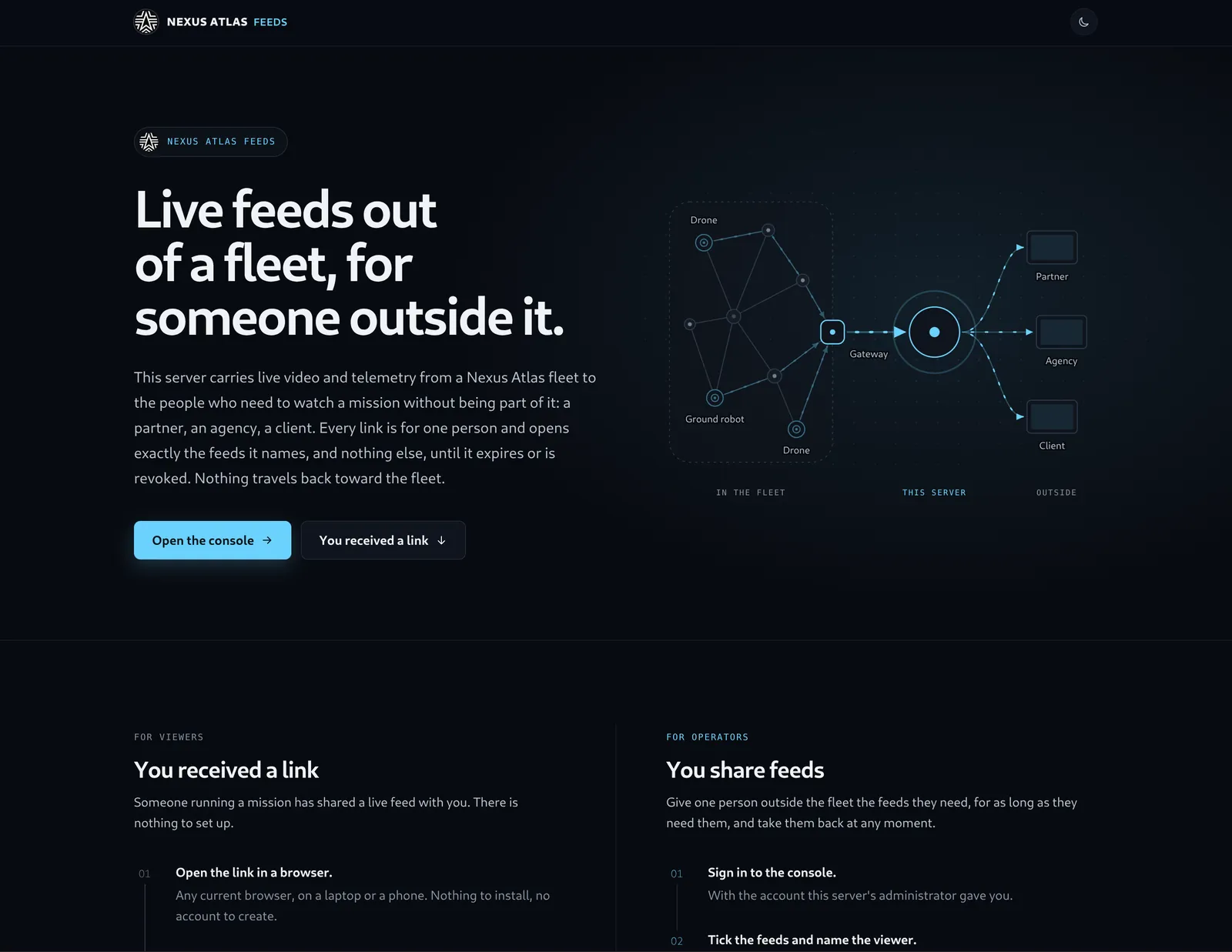
Adapters in depth — nexusatlas.ioOne feed out of a fleet, for someone outside it: a gateway at the site publishes a mission’s video or positions outward to a feed server — hosted, or inside your own network — and each viewer opens a link in a browser with a token of their own. Nothing travels in.
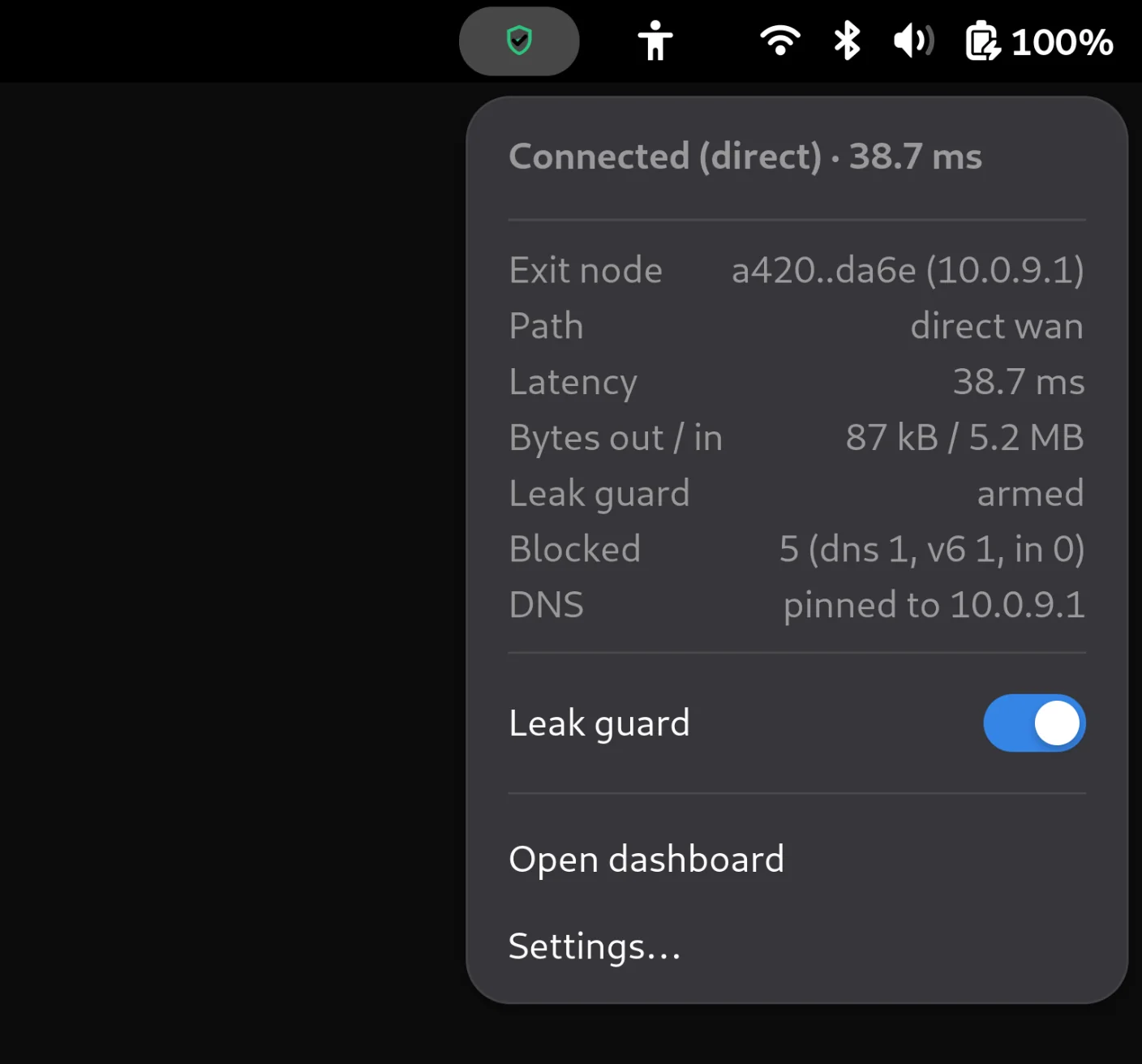
The feed gatewayThe tunnel in the GNOME top bar of a Linux laptop or desktop — direct, through a relay, reconnecting or down, readable from one icon. Open it for the exit node, the path, latency and traffic, and a Leak guard switch that arms the guard or, with a second tap, disarms it — whenever the tunnel runs unguarded, the icon turns red. It talks only to the node’s own dashboard on the same machine, with a token of its own for the switch. Every change, and every packet the guard stops, arrives as a desktop notification.
See it in the top barAtlas exposes its own measurements and carries whatever the platform already runs. These three companions came out of our own drone work — they are not products you buy, but they show where the platform’s edges are and what integrating against it costs.
The network telling the camera what it can afford. It reads the daemon’s own per-second link statistics and steps the video profile down before the stream drowns the radio — full resolution while loss and latency stay low, progressively smaller as they don’t. It drops fast, recovers slowly, and treats a missing snapshot as the worst case, so a dead daemon can only make the picture safer.
Our drone camera through a vendor protocol; any other camera or encoder through a command hook.
The camera on the drone lives on the manufacturer’s own private network, reachable only from the aircraft. A tiny relay exposes its video stream across the tunnel to any client on the operations network — no address translation, no routing changes, nothing reconfigured on the vendor’s equipment. It is a small thing that makes a large point: adopting Atlas does not mean re-architecting the networks your equipment already came with.
An inertial sensor on a headset streams orientation over a short-range radio to a small program that calibrates it and fans it out — to a live 3D view for diagnostics, and to the drone’s gimbal, which follows the operator’s head. Purpose-built as a demonstration, not a product: it puts real-time control traffic on the bonded link in a form a visitor can feel, and it is usually the part of a briefing people remember.
Thirteen screens from the shipped web interface, in your theme — plus the full walkthrough. No agent and no collector: the daemon serves this itself, from the same numbers the CLI returns.
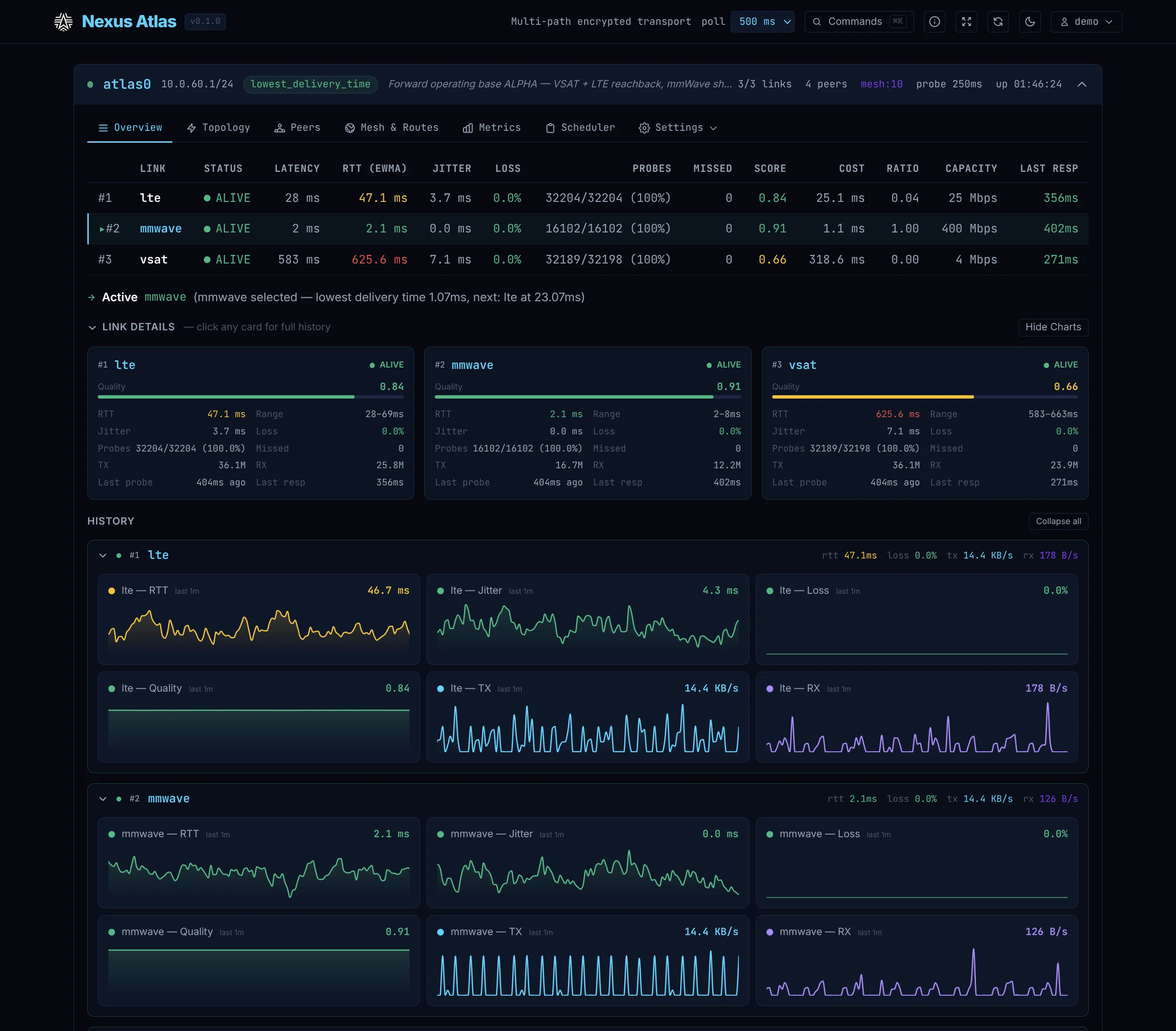
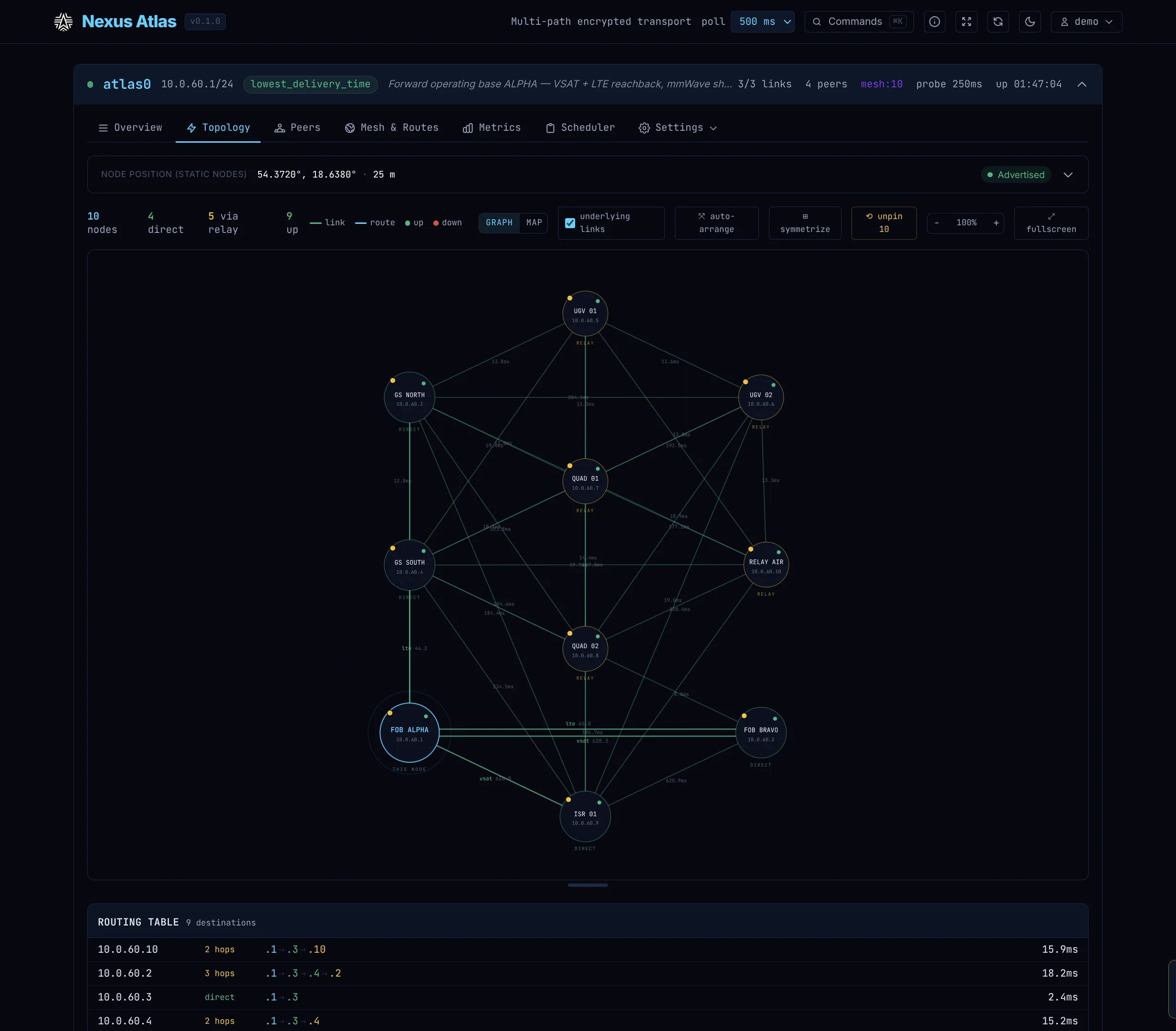
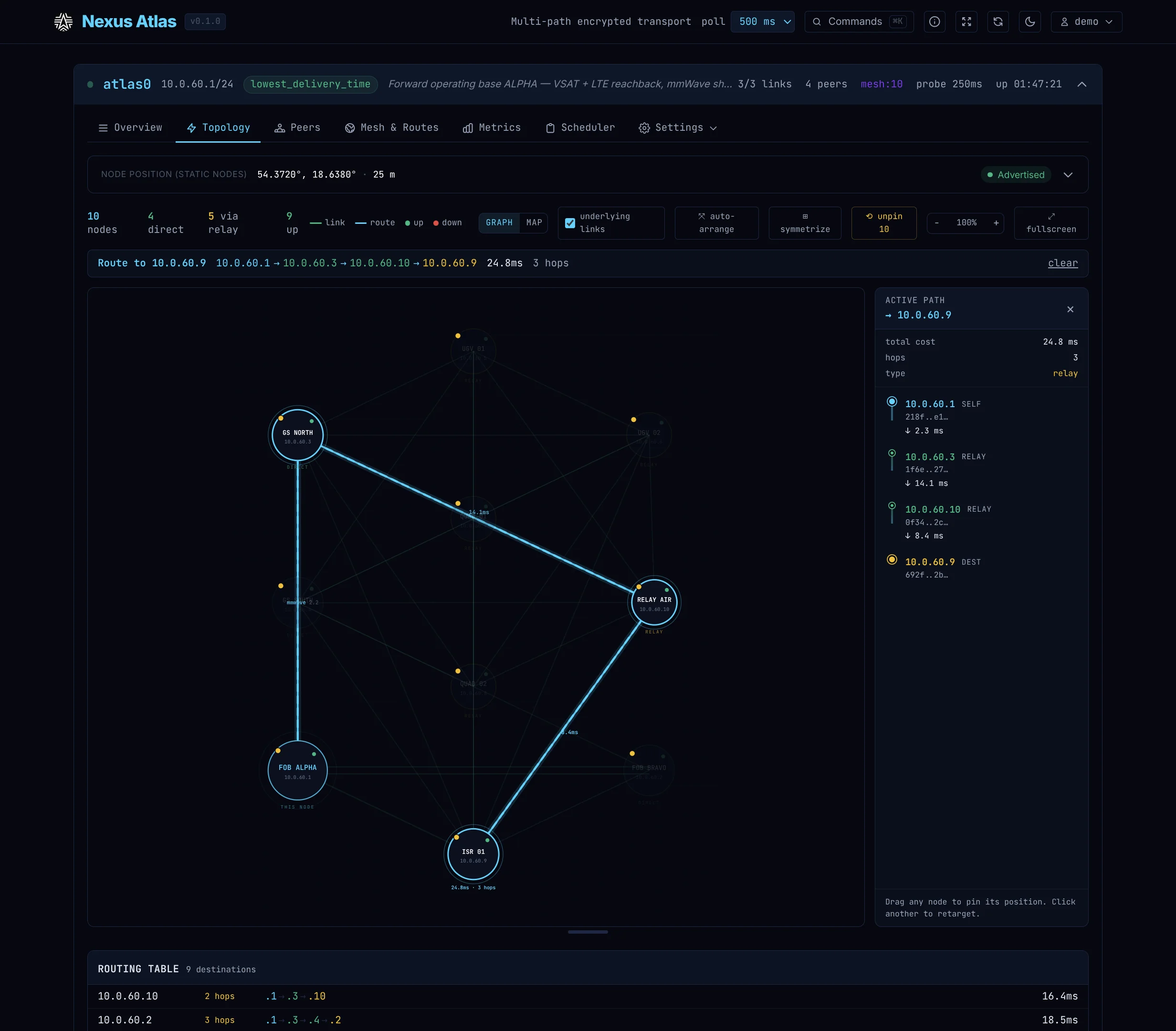
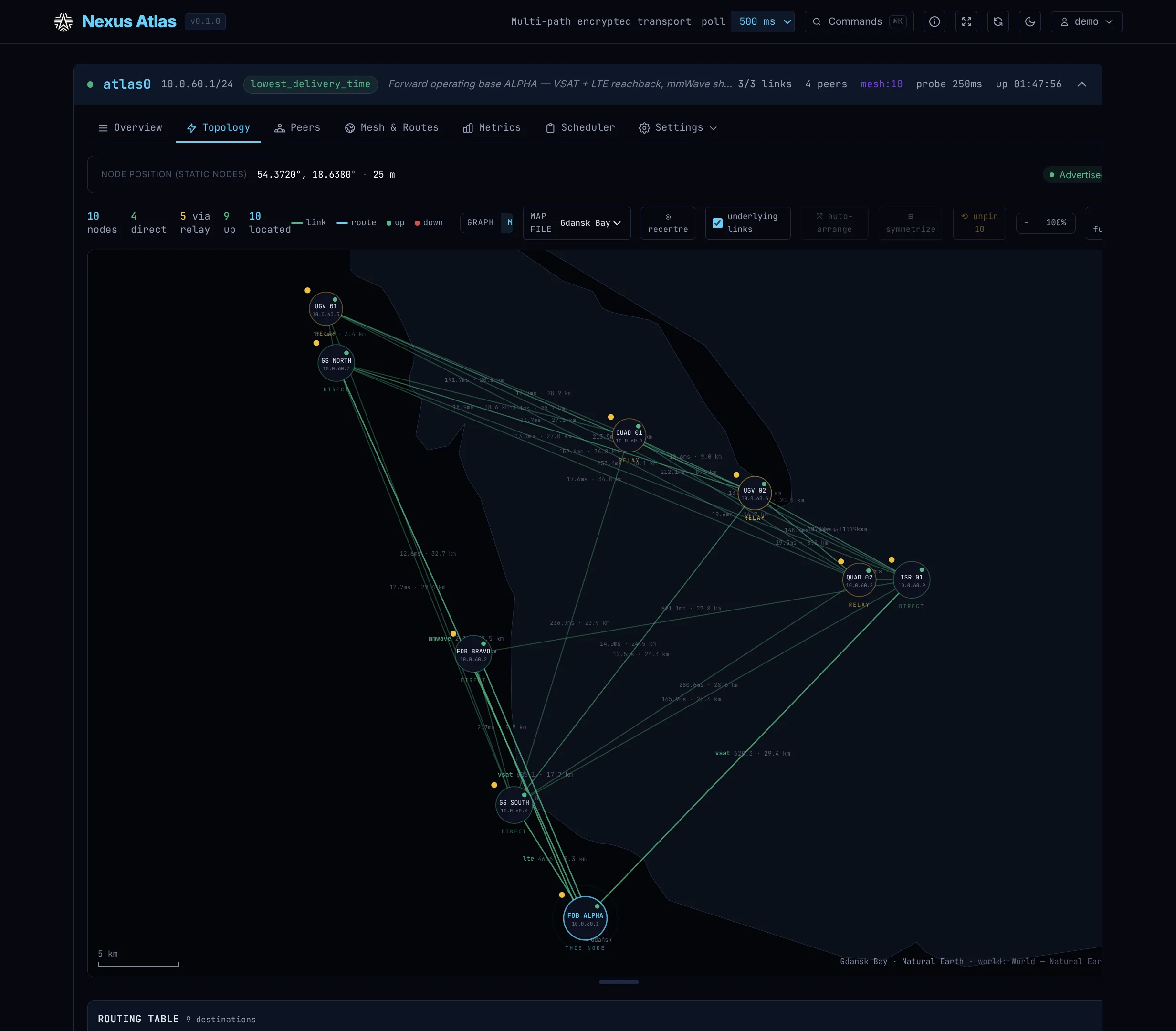
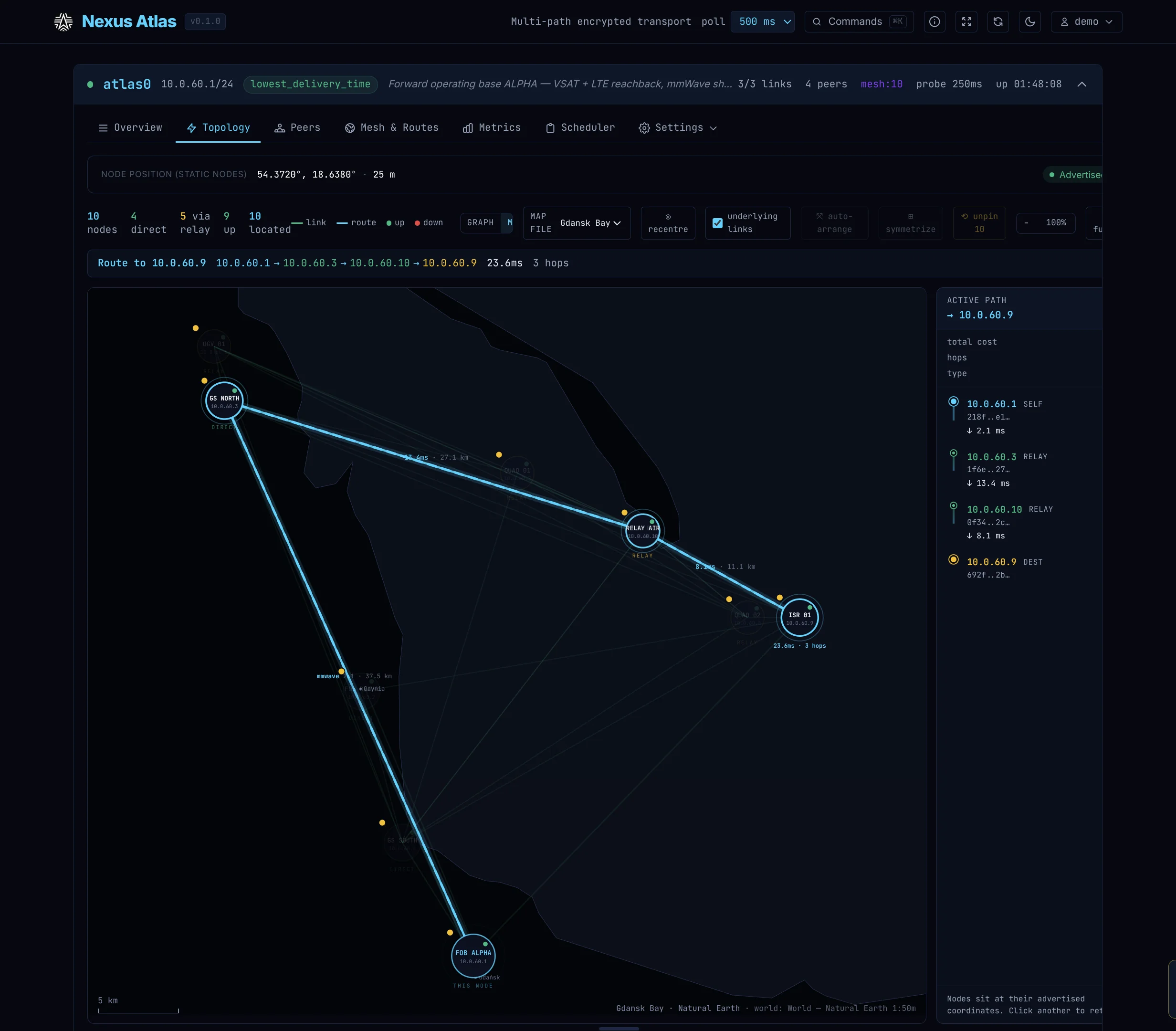
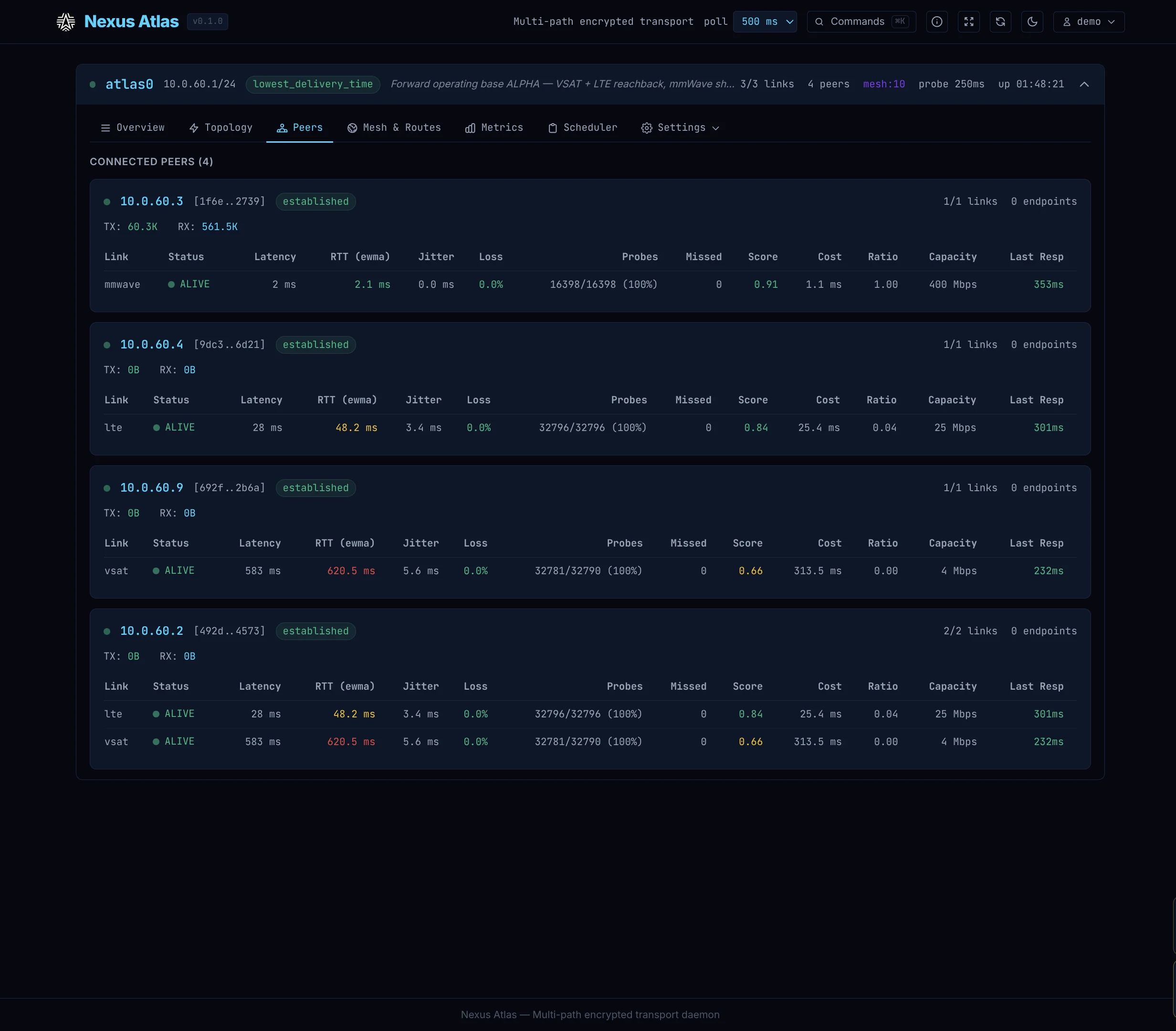
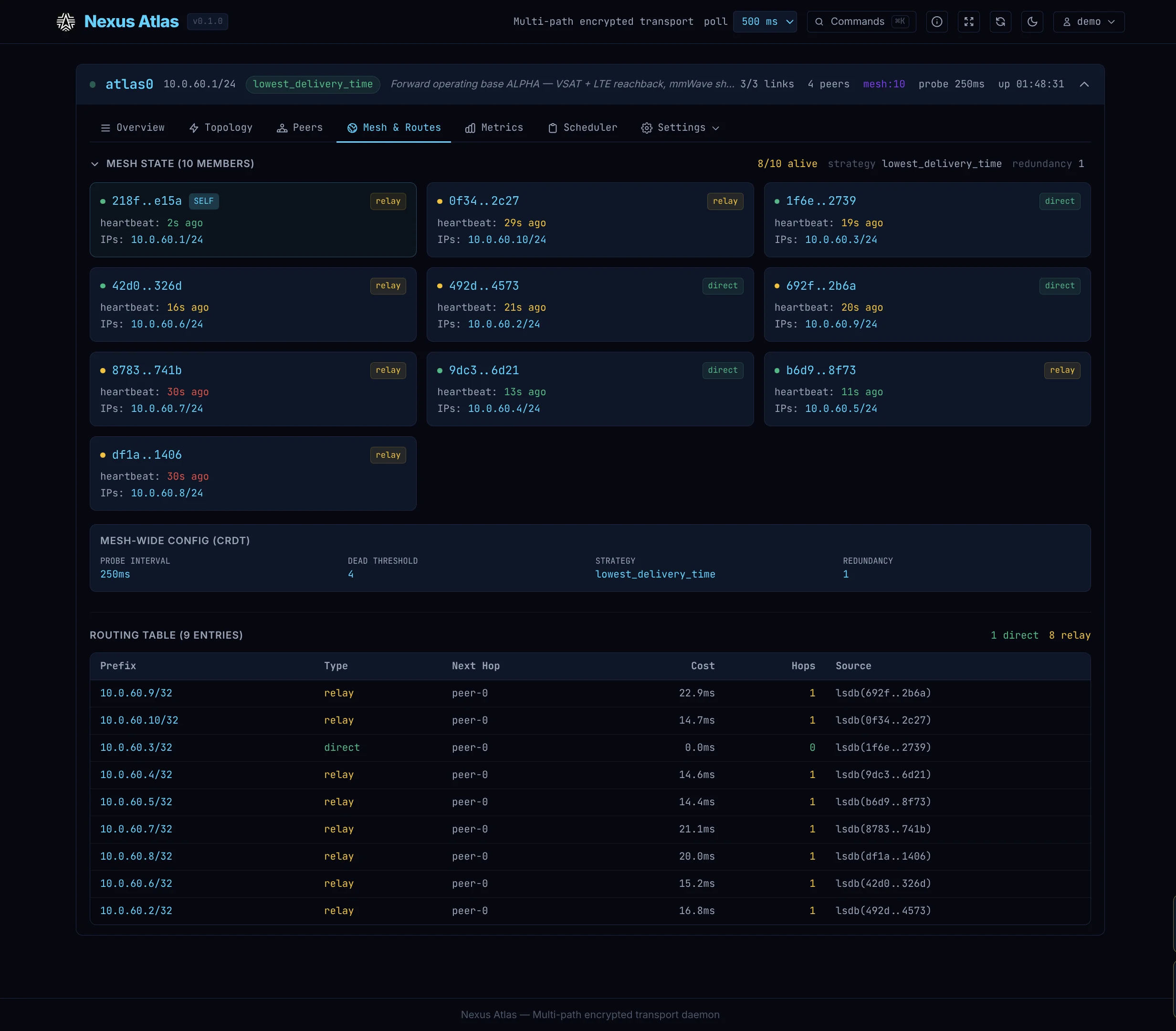
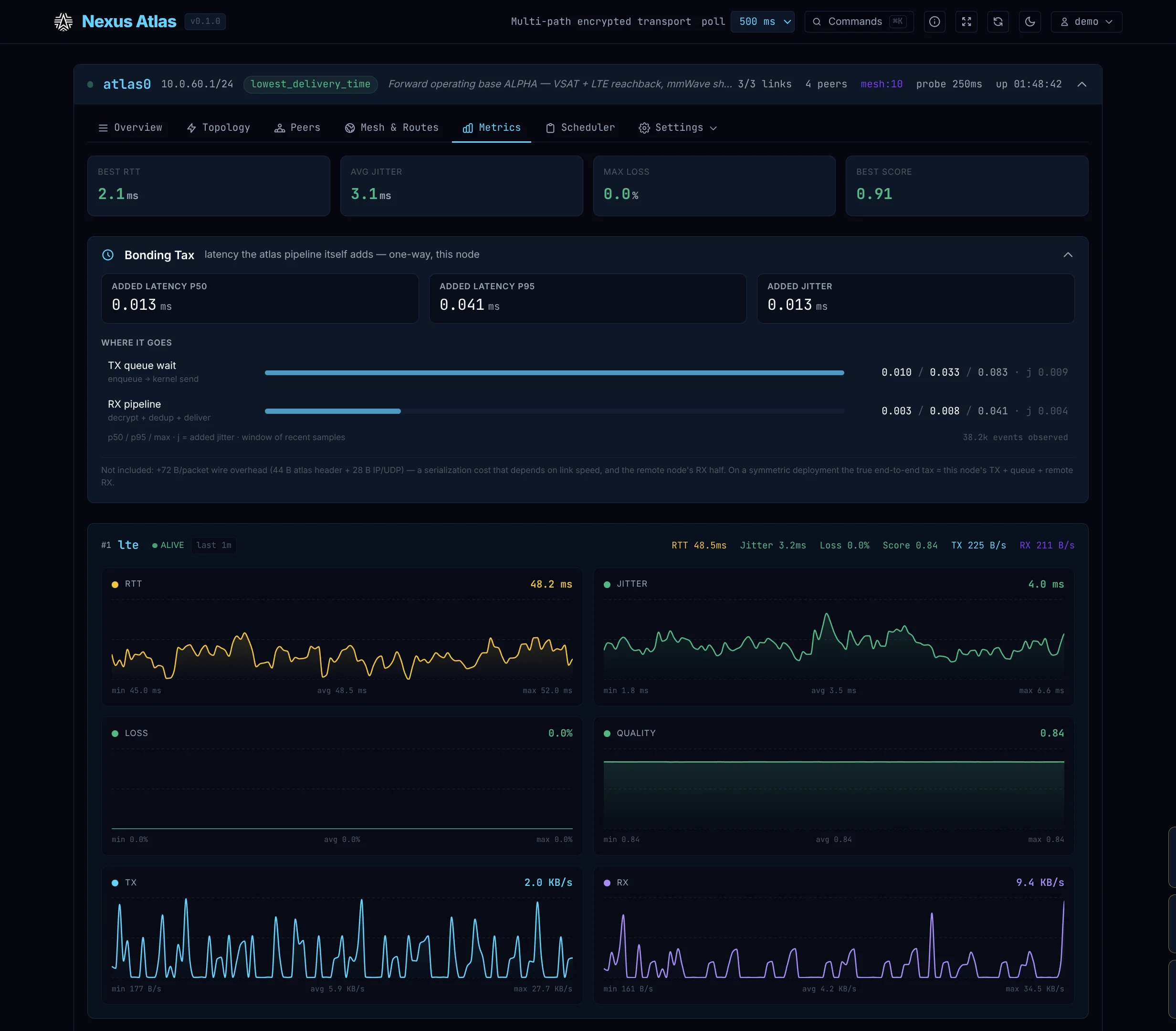
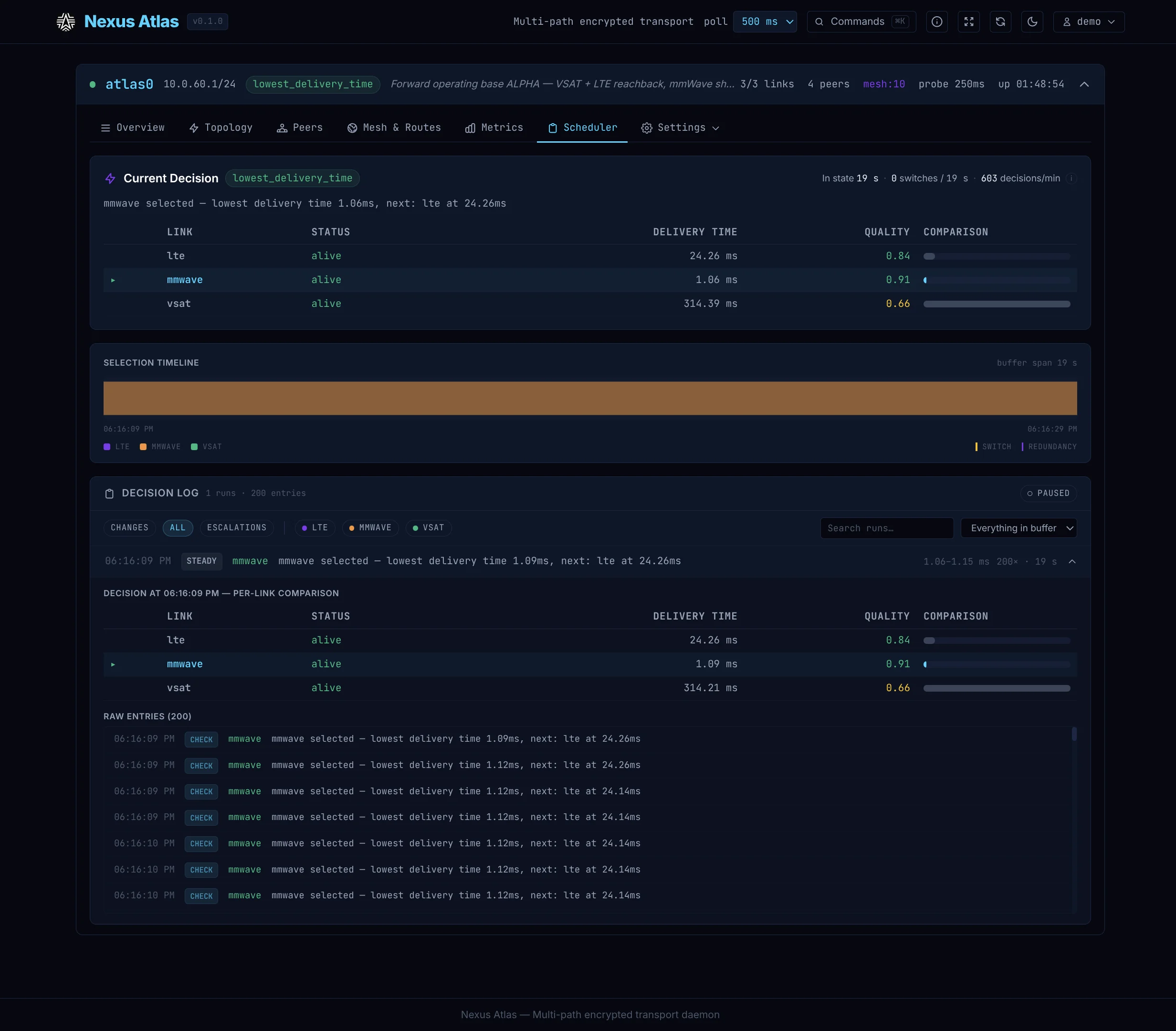
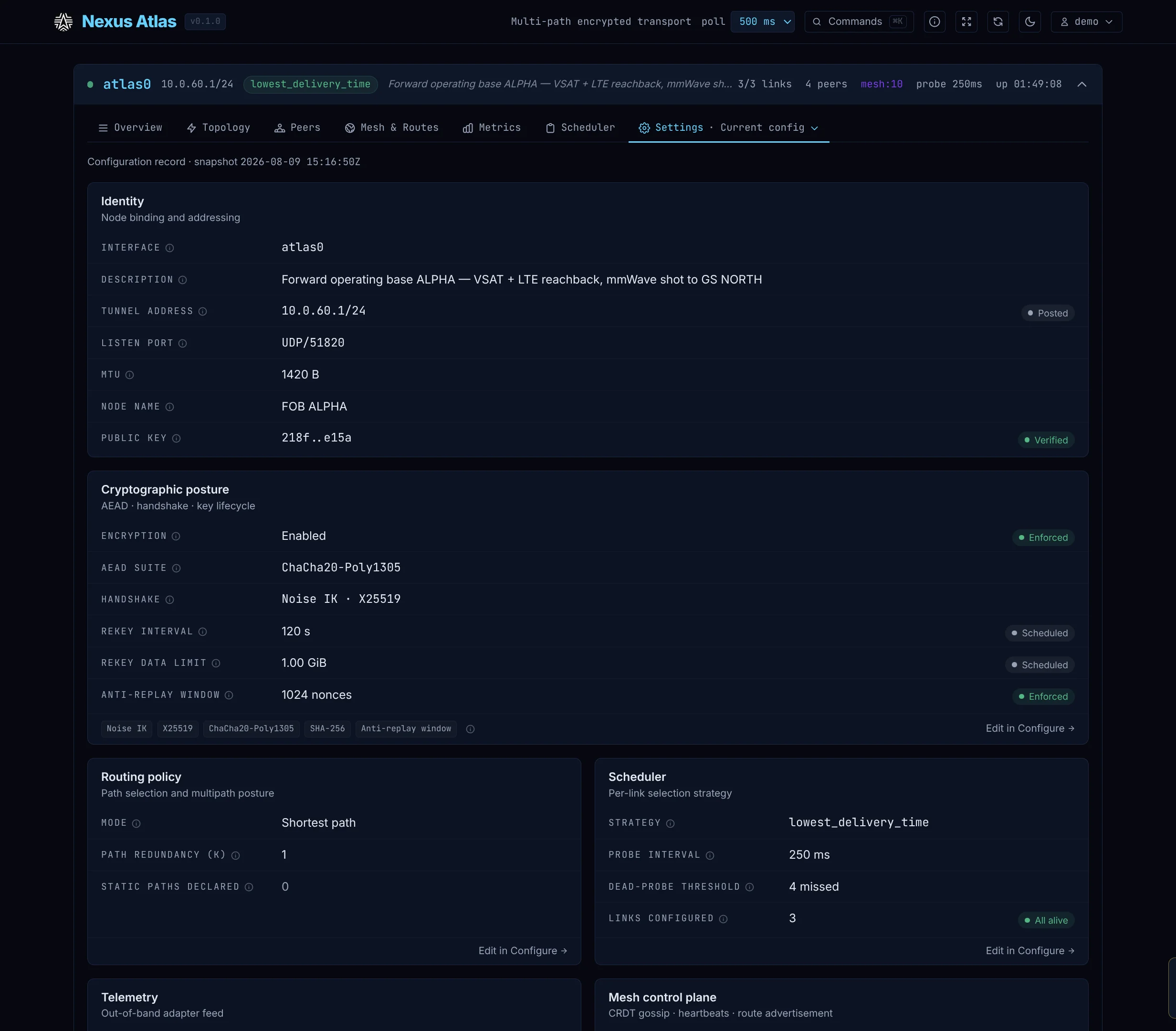
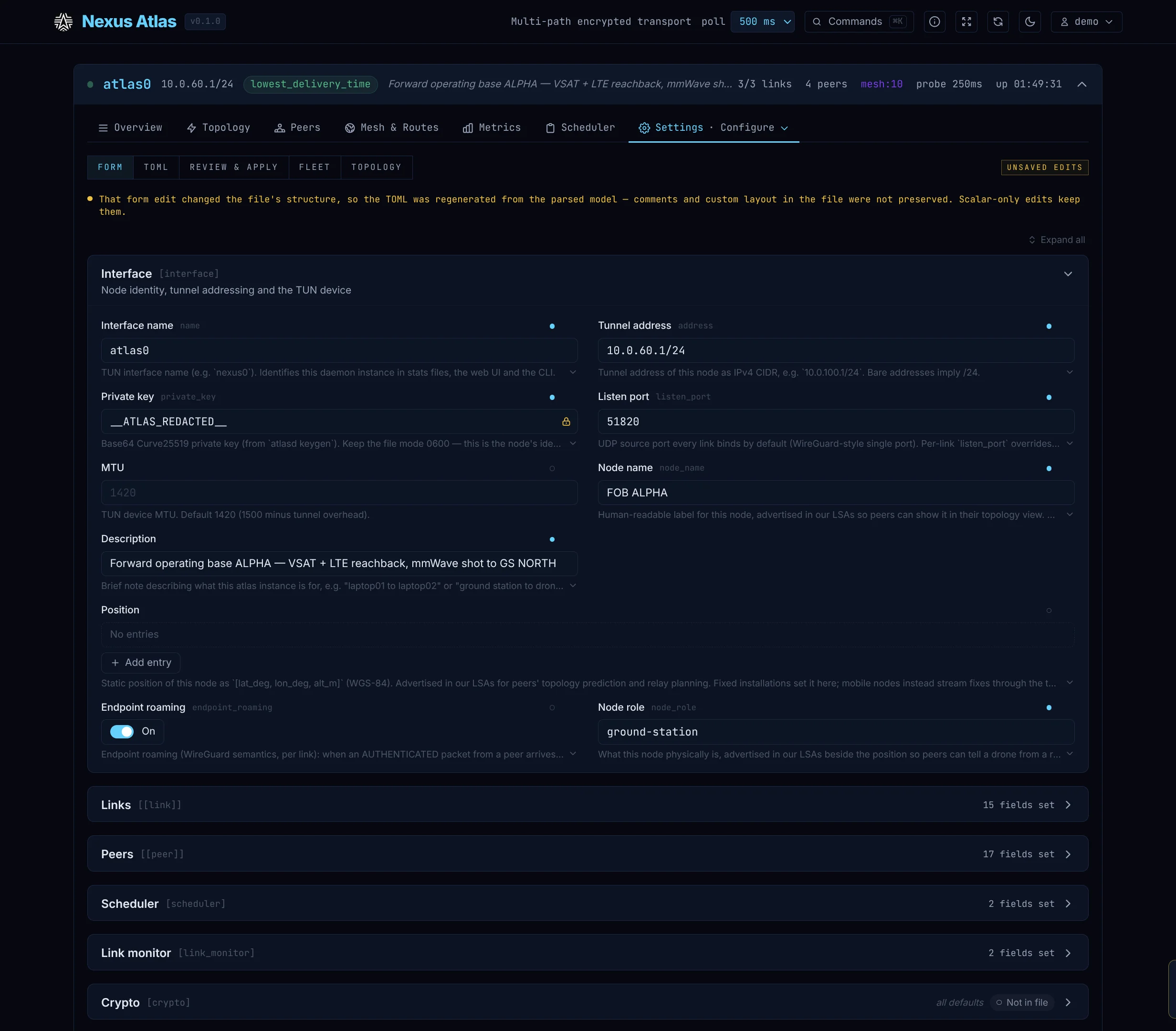
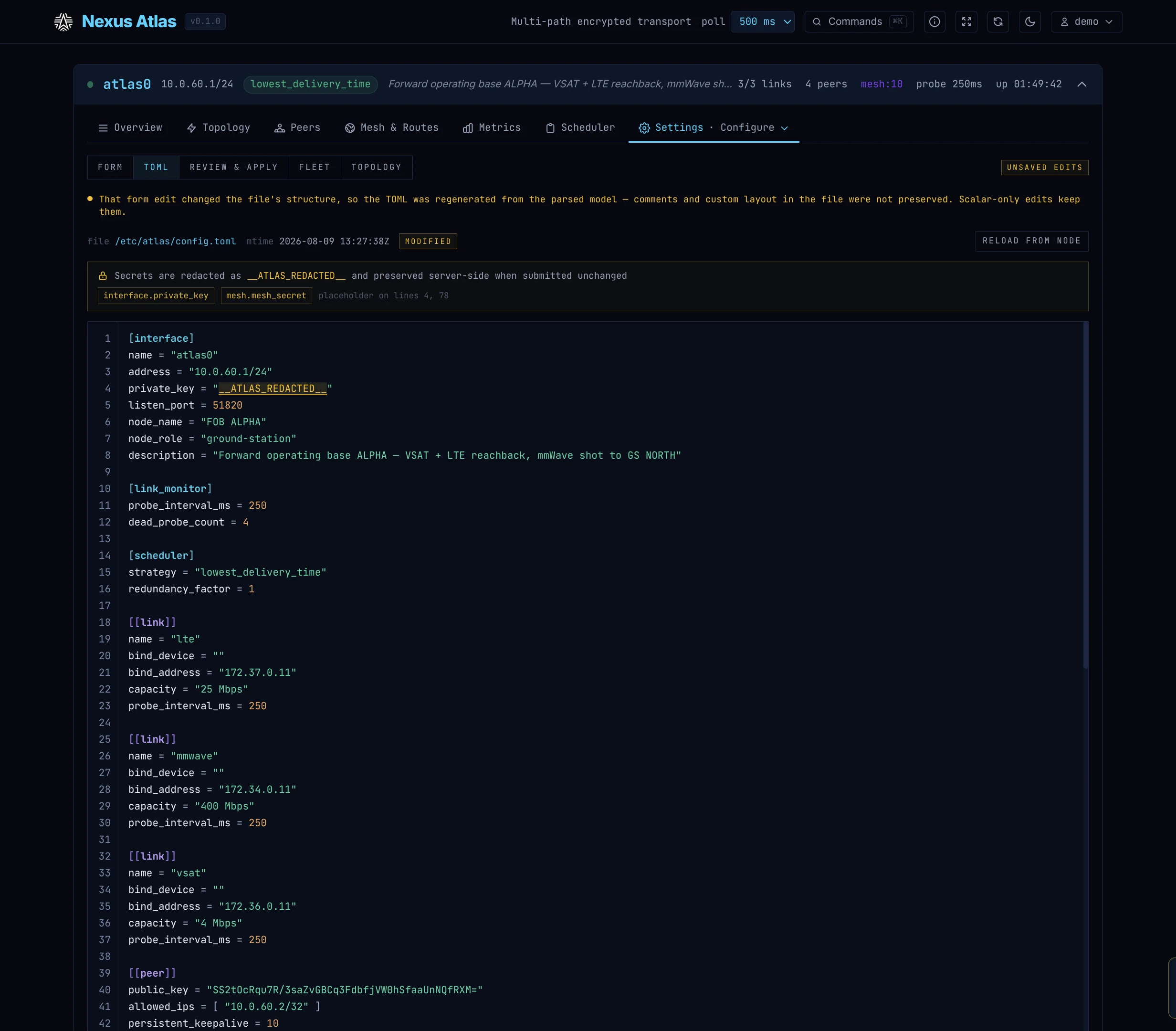
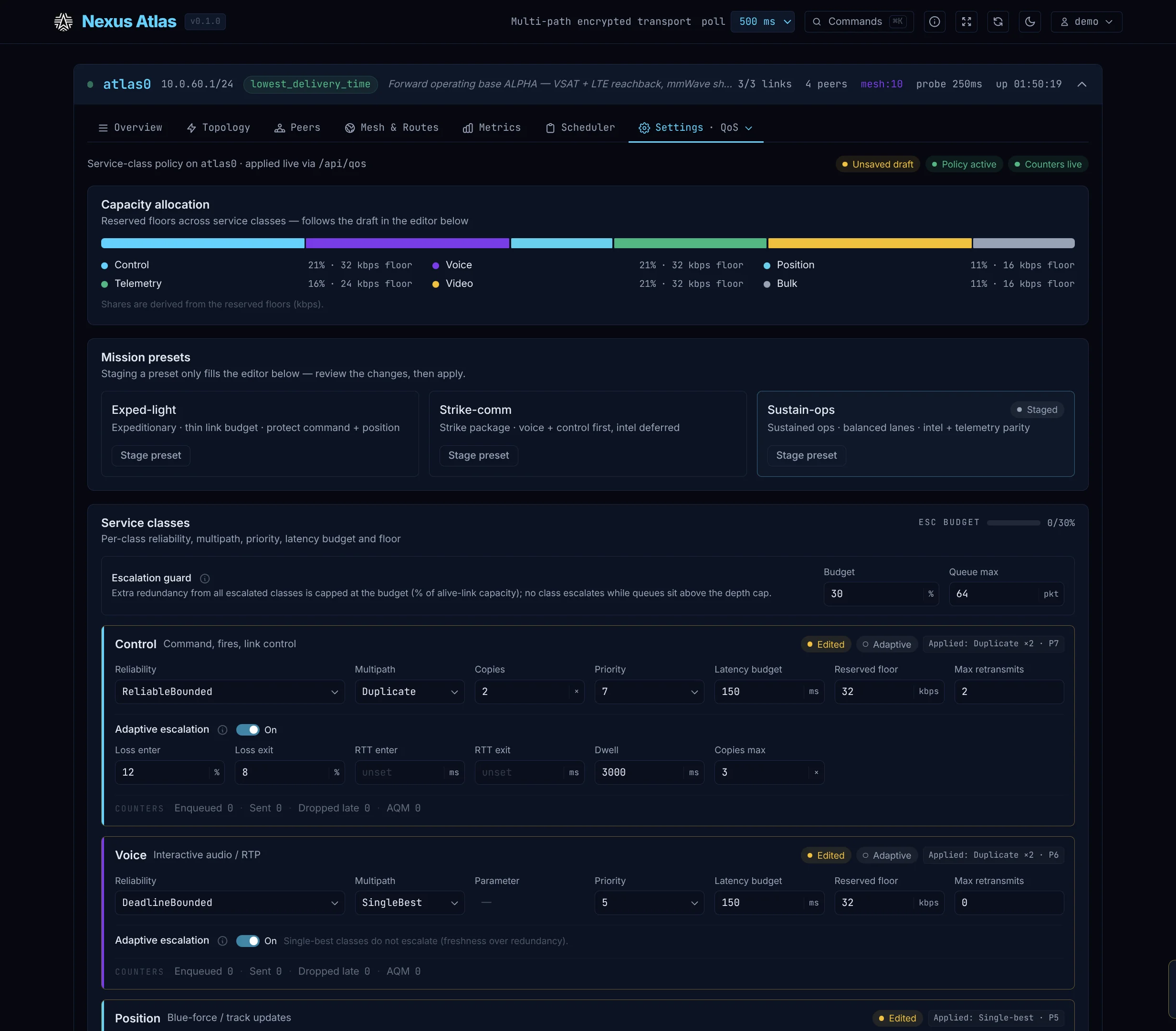
The dashboard end to end — every tab in one pass (3 min 26 s, silent).
Real device captures. Early implementation — evaluation builds, not yet in an app store.


The tunnel’s state without opening a window — the shield in the top bar reads direct, relayed, reconnecting or down, and turns red whenever traffic would leave unguarded. One click opens the detail: the exit node, the links the path runs over, latency, traffic, and the leak guard with the switch that arms it. Behind it is the dashboard the node already serves, on the same machine.
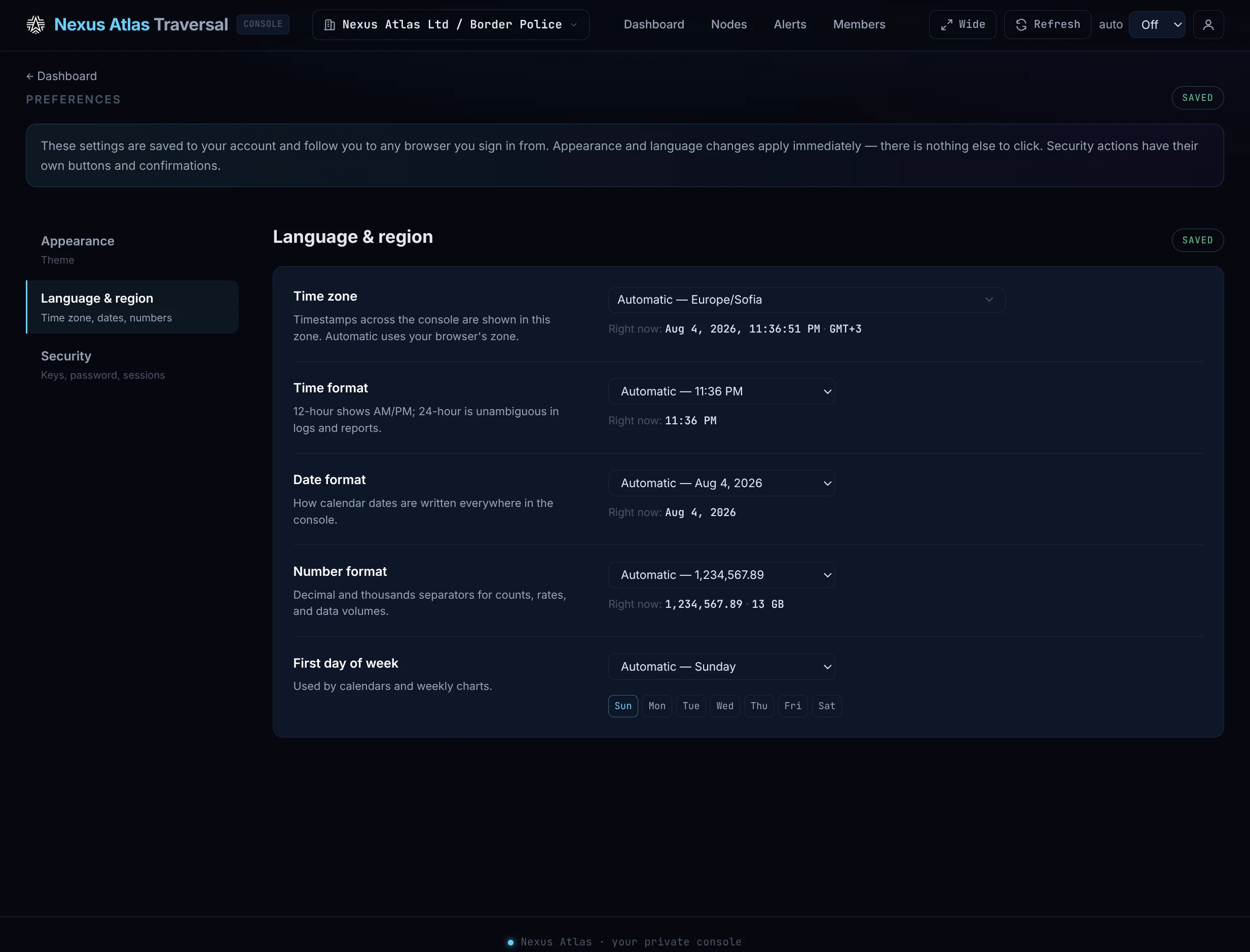
Multi-tenant operations over the whole estate: enrolment a device proves cryptographically, nodes on a live map, per-link telemetry, offline alerts with recovery notices, and an audit trail — in light and dark, like everything else in the family.
An external observer fed the same telemetry any mesh member already has: every node at its real position over elevation data, links coloured by terrain line-of-sight, and predictive reroutes drawn as they happen.
Atlas Sim — nodes, terrain line-of-sight and reroutes (1 min 8 s, silent).
Atlas bonds links; something still has to carry them. Mesh Map shows the 802.11s radio topology from any node’s browser — signal, airtime metric, links fading as they die, and hidden multi-hop nodes appearing. It shows the layer below Atlas, which is exactly why it exists.
Mesh Map — live 802.11s topology and link quality (50 s, silent).
An adapter is a small companion process that splits a radio’s byte stream into a data channel and a telemetry channel. The radio becomes a first-class link — with its own signal readings, its own declared capacity, and a place in the routing table beside Ethernet.
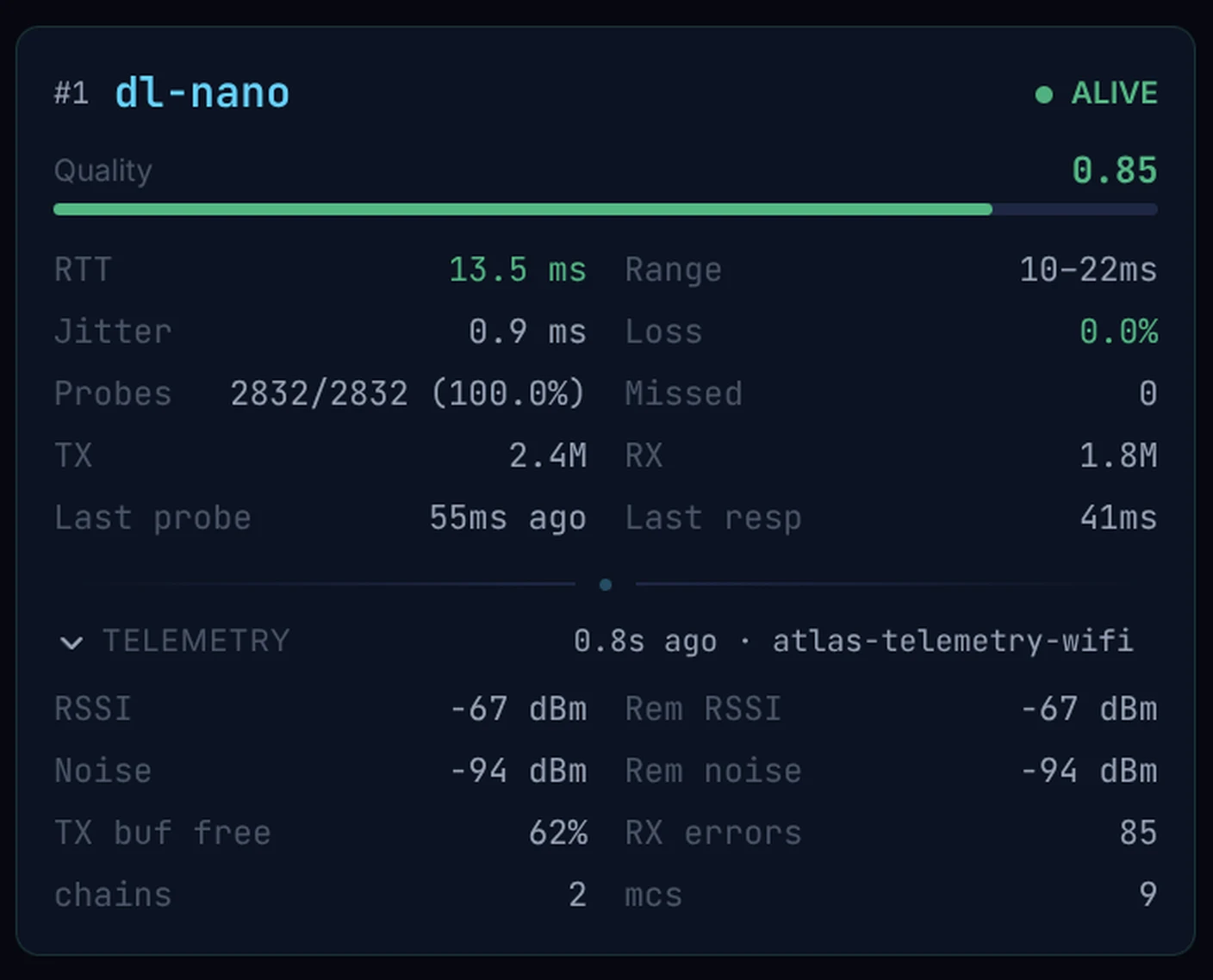
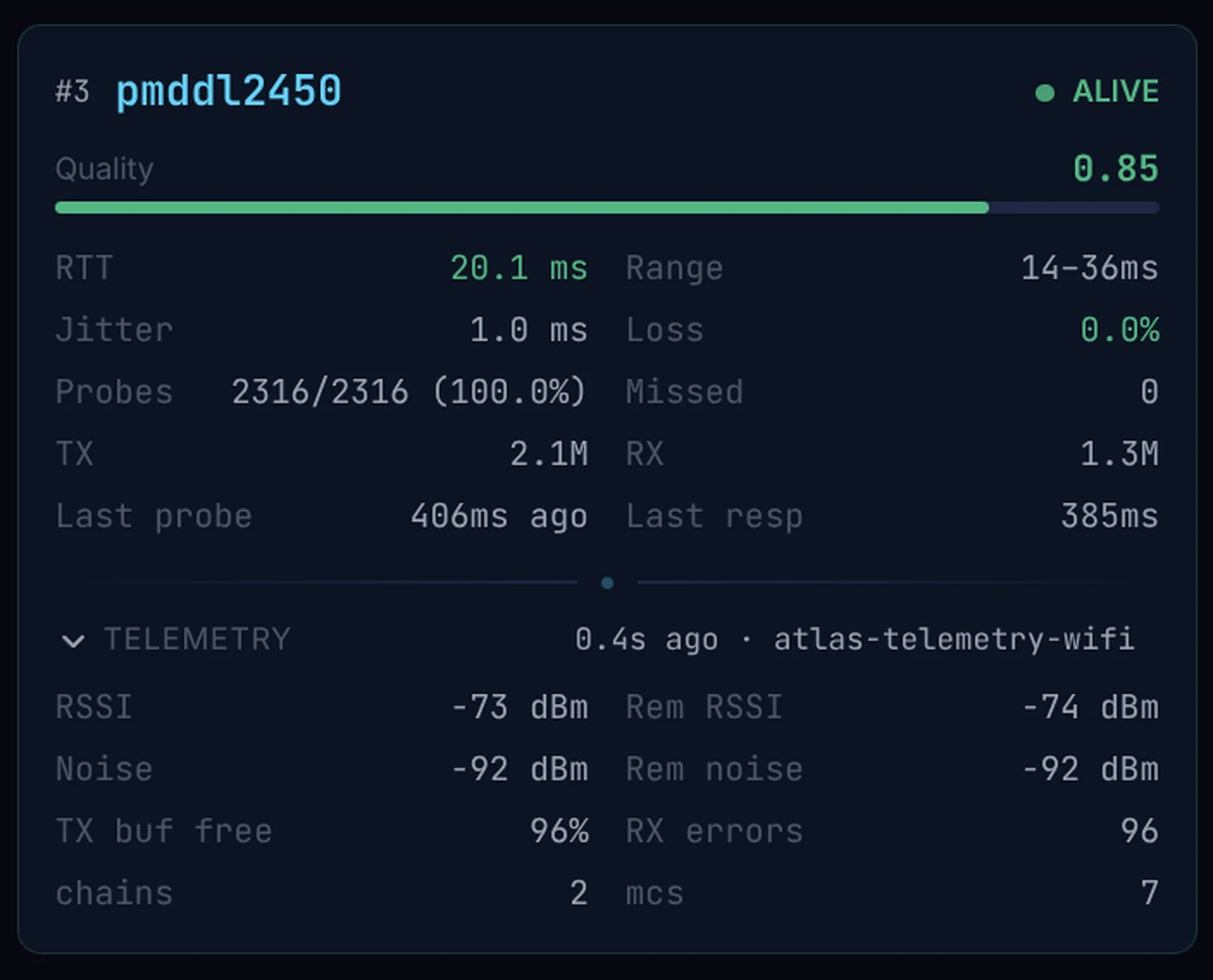
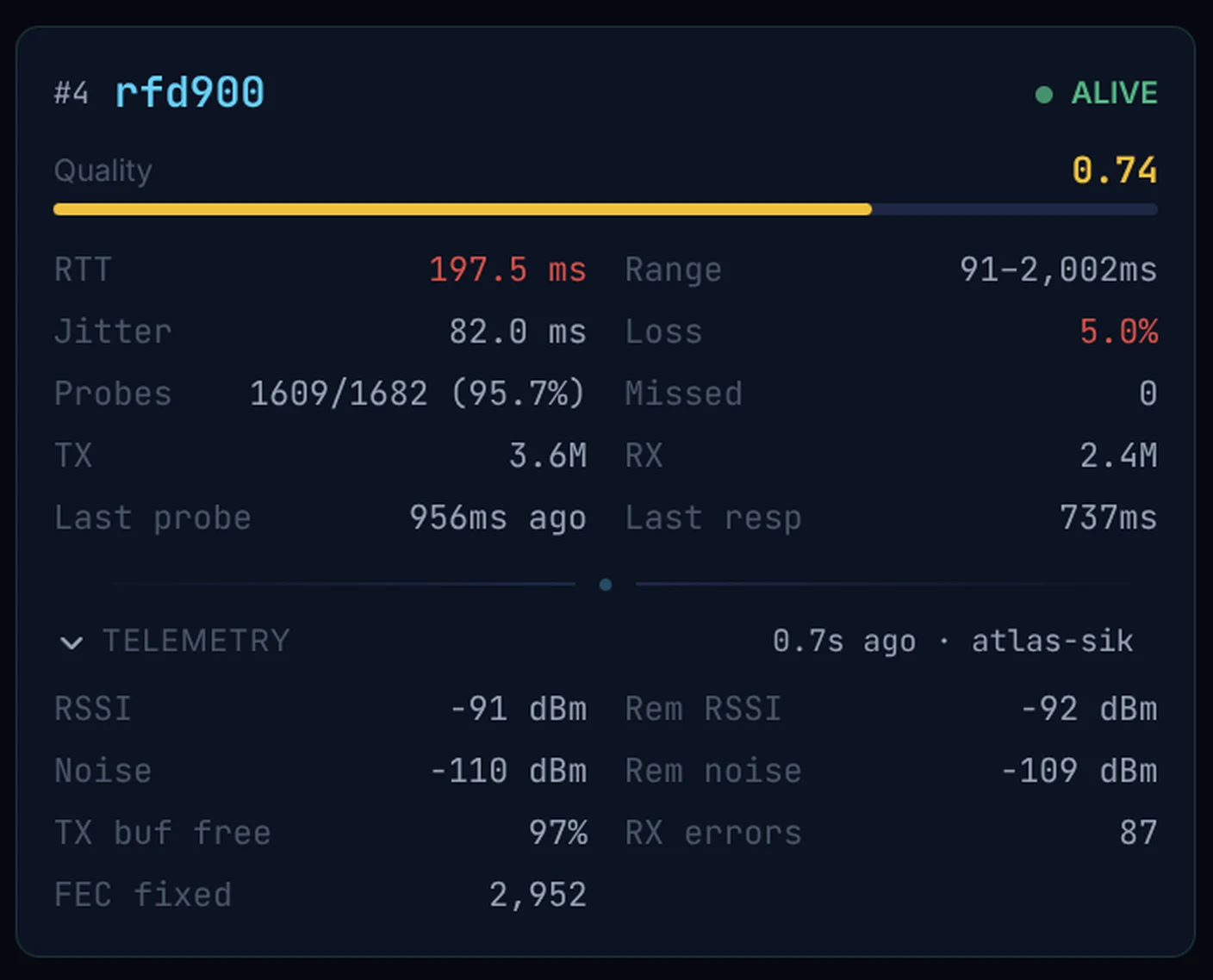
Three radios, three different stories, read the same way — and the same panel for Bluetooth, Wi-Fi ad-hoc, 802.11s mesh and Ethernet. Captured in dark theme only.
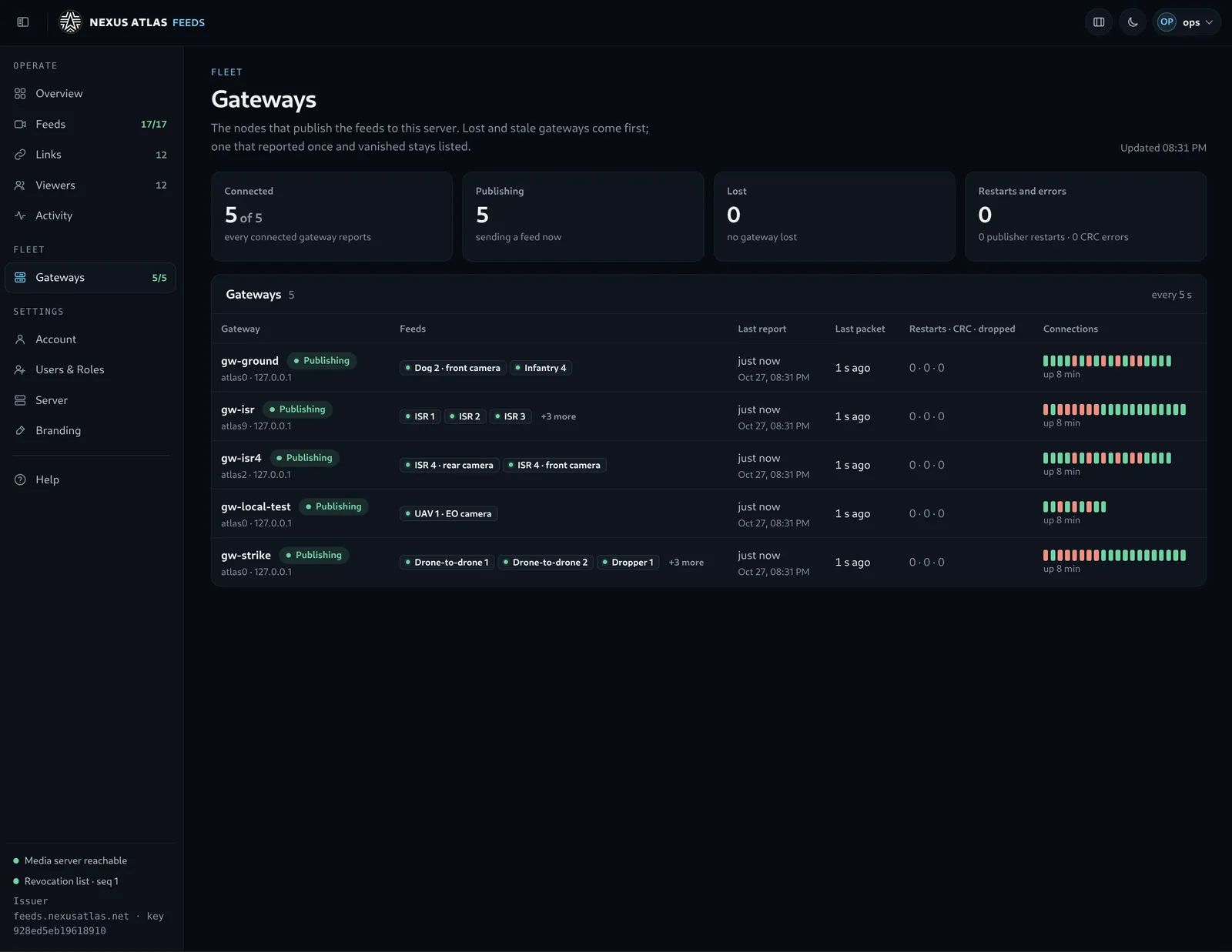
A partner, an agency or a client sometimes needs to watch one mission — the live picture, the positions — and nothing else. The feed gateway is a package of its own for exactly that. It sits beside the network, asks one thing of it, and never lets anyone in.
A small program on a machine inside the fleet takes one feed and publishes it to a feed server, over connections it opens itself. The fleet opens no port, and the server never reaches into the field. For a season-long share the gateway runs on its own host, a member that may only listen — its peers drop anything it tries to send, and it is never asked to carry anyone else’s traffic: if that host is ever compromised, the attacker reads one feed and nothing more, and one action removes it without touching an operational node.
The feed server is a packaged setup: the media server, the access check on every connection, a page that plays the feed in any browser, and a token issuer of its own, with its own sign-in. Ours runs at feeds.nexusatlas.net; the same package runs self-contained on a customer’s own hardware inside their intranet, under their own certificates, needing nothing from us.
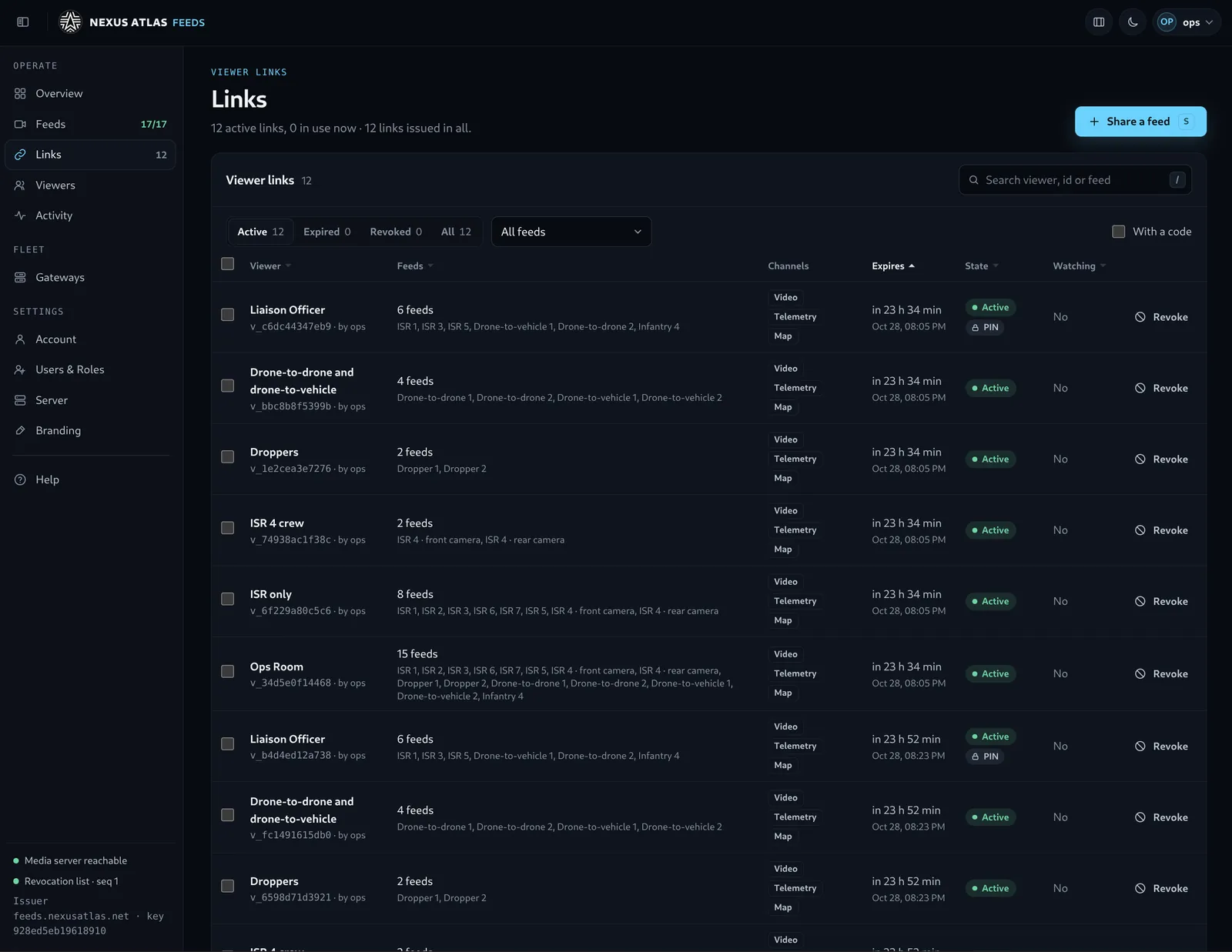
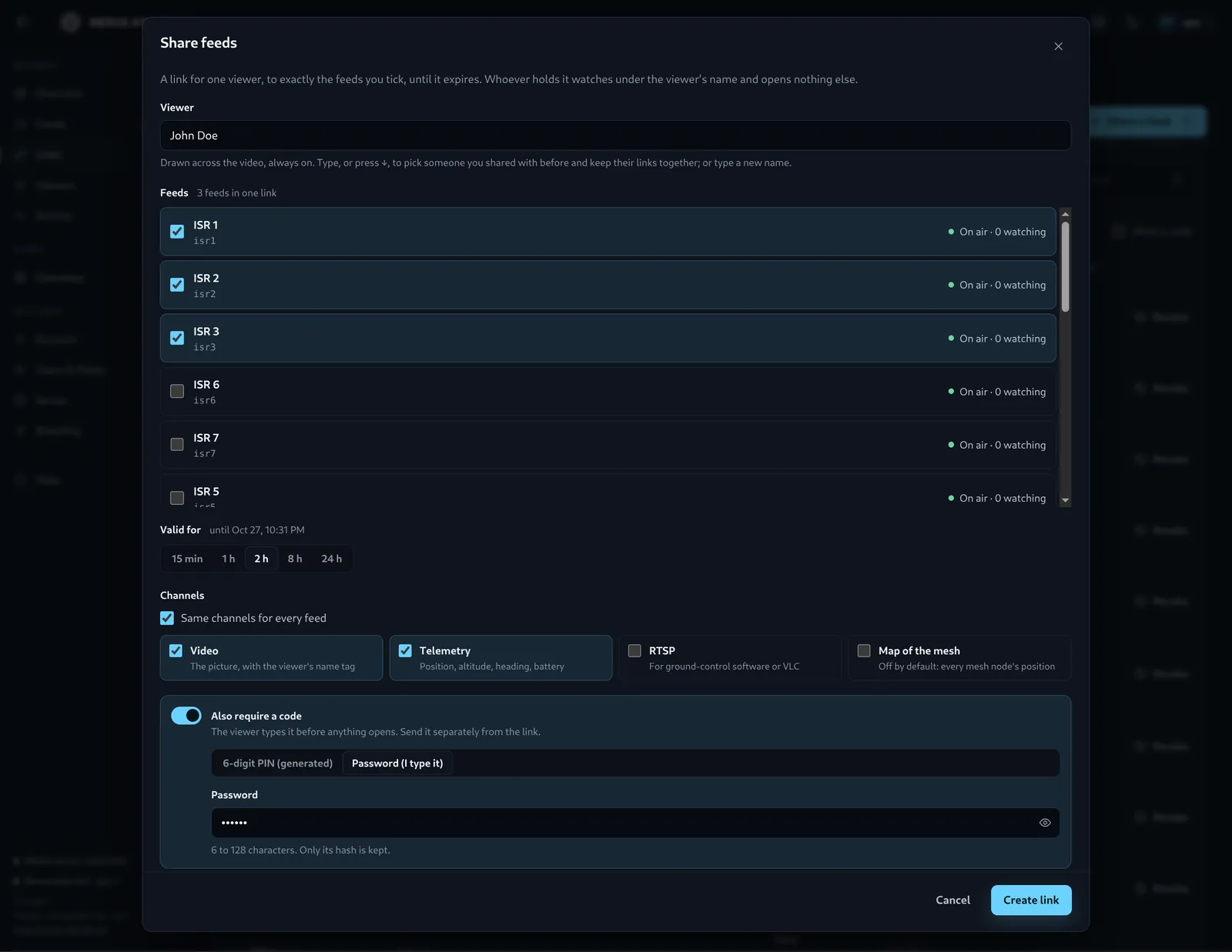
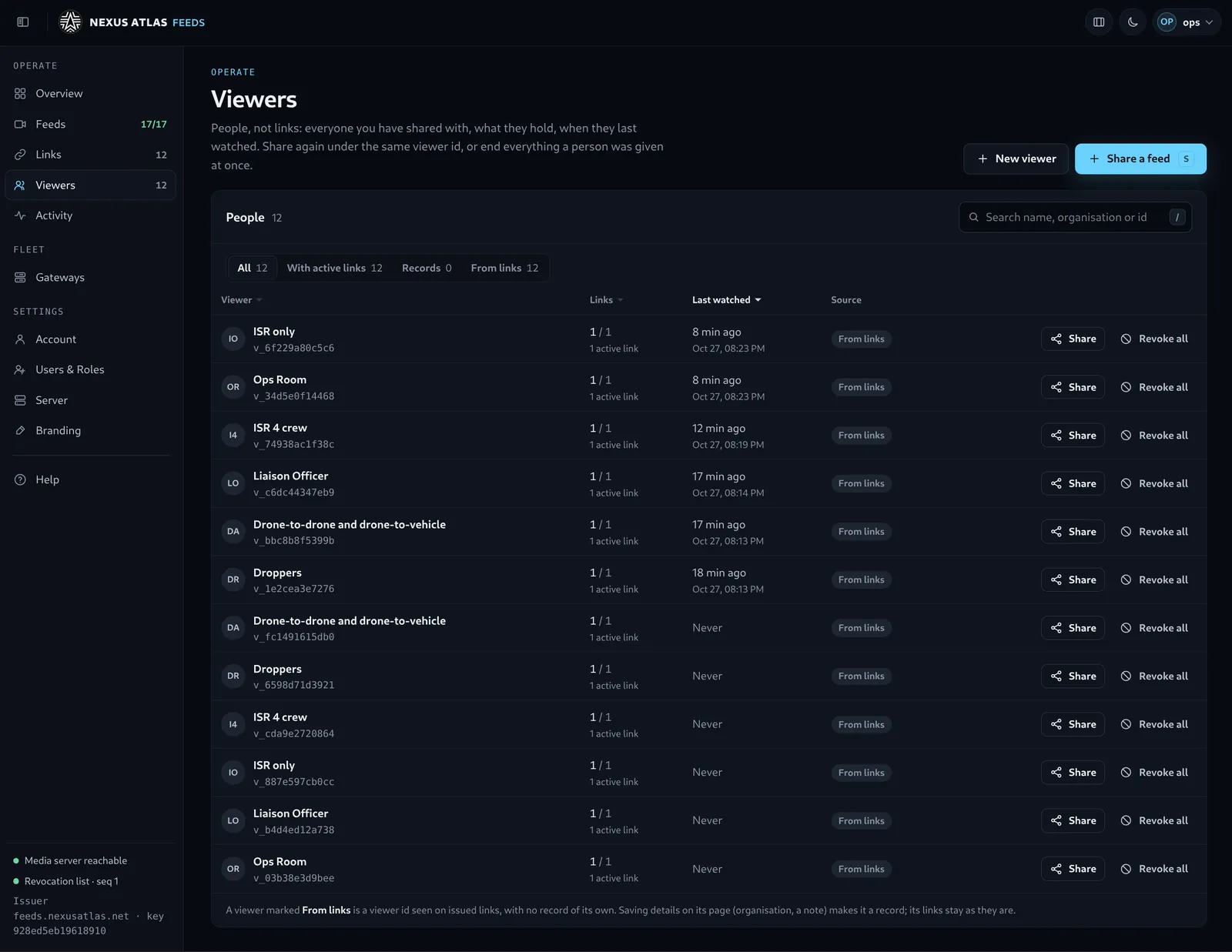
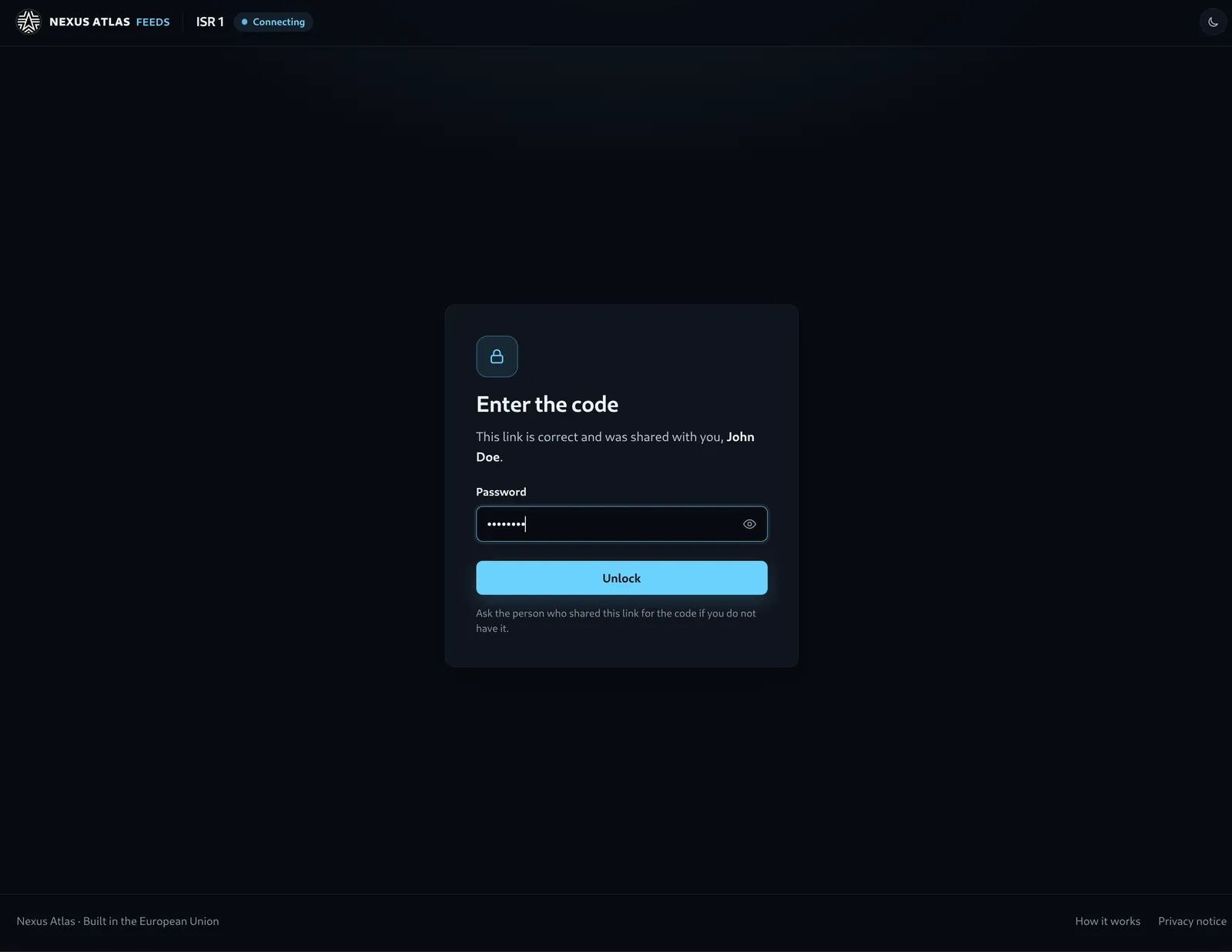
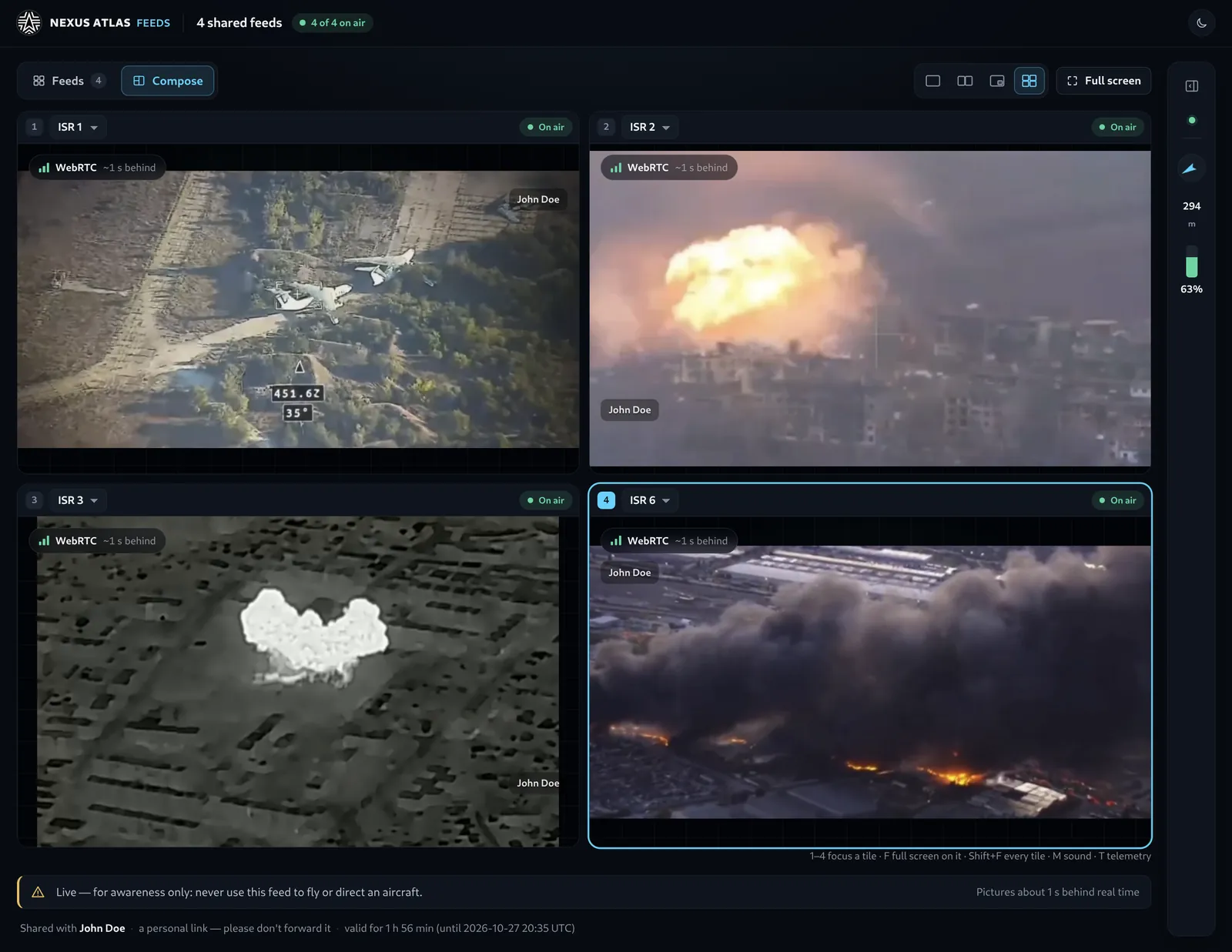
Each viewer gets a link with a token that is theirs — the feeds it opens, an expiry, the channels allowed on each — and the player draws their name across the picture. A link opens exactly the feeds it names, and nothing else, and several can share one screen. It can also require a code — a six-digit PIN or a password — that you send over a different channel; the server keeps only its hash, and repeated wrong codes lock the link. With your say-so on both the gateway and the link, the viewer also sees a map of the mesh nodes beside the picture. Live video plays in the browser with nothing installed; positions and events arrive as data a partner’s own screens can use. Revoking a viewer or a whole feed is one click, and the gateway can be told to stop, which cuts everyone at once. The player states the delay, so nobody tries to direct an aircraft from a shared feed. The gateway in depth — nexusatlas.io
Live video and telemetry out of a fleet, to the named people outside it who need to watch, each on a link of their own. Every screen here is the real product.
Feeds, the overview: one link for one viewer, from the console to his screen (42 s, captioned, silent).
Long-range serial telemetry radios carry tens of kilobits a second, and until now every byte reached them through PPP: an adapter, a pseudo-terminal, a PPP daemon and a full set of IP headers per packet. Where both ends run Atlas, the radio is now a link like any other — Atlas frames its own packets straight onto the serial port, with nothing in between.
A voice packet of about a hundred bytes costs 105 bytes on the radio, against 134 through PPP — 29 bytes back on every small packet. On a radio of tens of kilobits, that is capacity you already paid for.
Atlas writes to the radio only when its buffer has room, so Atlas’s own priorities decide what goes on air next. Beside flowing video on a 64 kbit/s radio, voice arrives within 100–130 ms, against about two seconds when the radio’s buffer is left to fill.
Nothing to renegotiate after a radio resets or is replugged: traffic resumes 53 ms after a radio reset and 194 ms after the device reappears. No IP address plan per radio pair, and the radio’s own signal and noise readings steer the routing.
PPP connects two radios and no more. Atlas addresses every frame, so several radios share one channel — three radios on one channel, every pair reaching every other — and long-range serial radios become a mesh.
Built for SiK-family radios (RFD900-class) with Atlas on both ends, and for any serial byte pipe. Devices that only offer PPP or IP — dial-up modems, satellite terminals, tactical radios with a PPP port — keep the adapter and PPP, and bond exactly as before. the two chains ↗
The case, the problems solved, the evidence, the engagement path. Written for decision makers; hands every technical question to the engineering site.
Architecture, live in-browser demonstrations — kill a link on the website itself — the transport deep-dive, and the field playbook essays in full operator depth. Open nexusatlas.io
The developer portal: the quickstart, concepts, the full configuration and API reference, release verification, and evaluation access for the engineers who make Atlas run on their platform. Open nexusatlas.dev
The managed reachability service: relay network, security model, live network view, private estates, pilot programme. Open nexusatlas.net
The customer console: enrolment, map, telemetry, alerts, teams, audit. Open the console
The application storefront: the Linux and Android interface tours, galleries, and evaluation-build requests. Open nexusatlas.app
We will map the links, vendors, shared failure domains and integration boundary—and define what a useful demonstration or pilot should prove.